Free downloadmacOSSwift2026
CodeCat
A menu-bar cat that tells you when a Claude Code agent needs you.
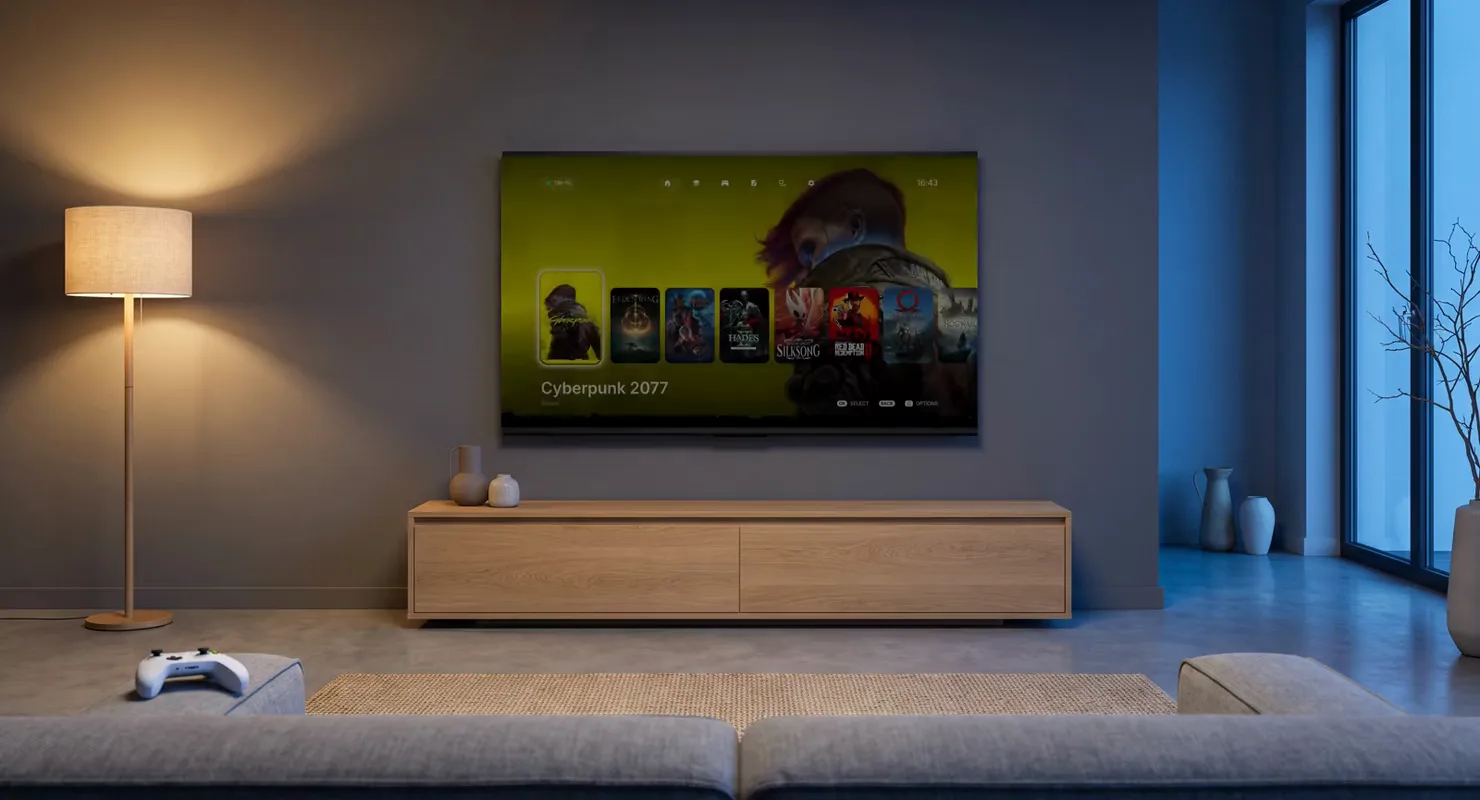
Your gaming PC on the TV, as a console. No desktop, no launchers, no PIN to type.
The problem
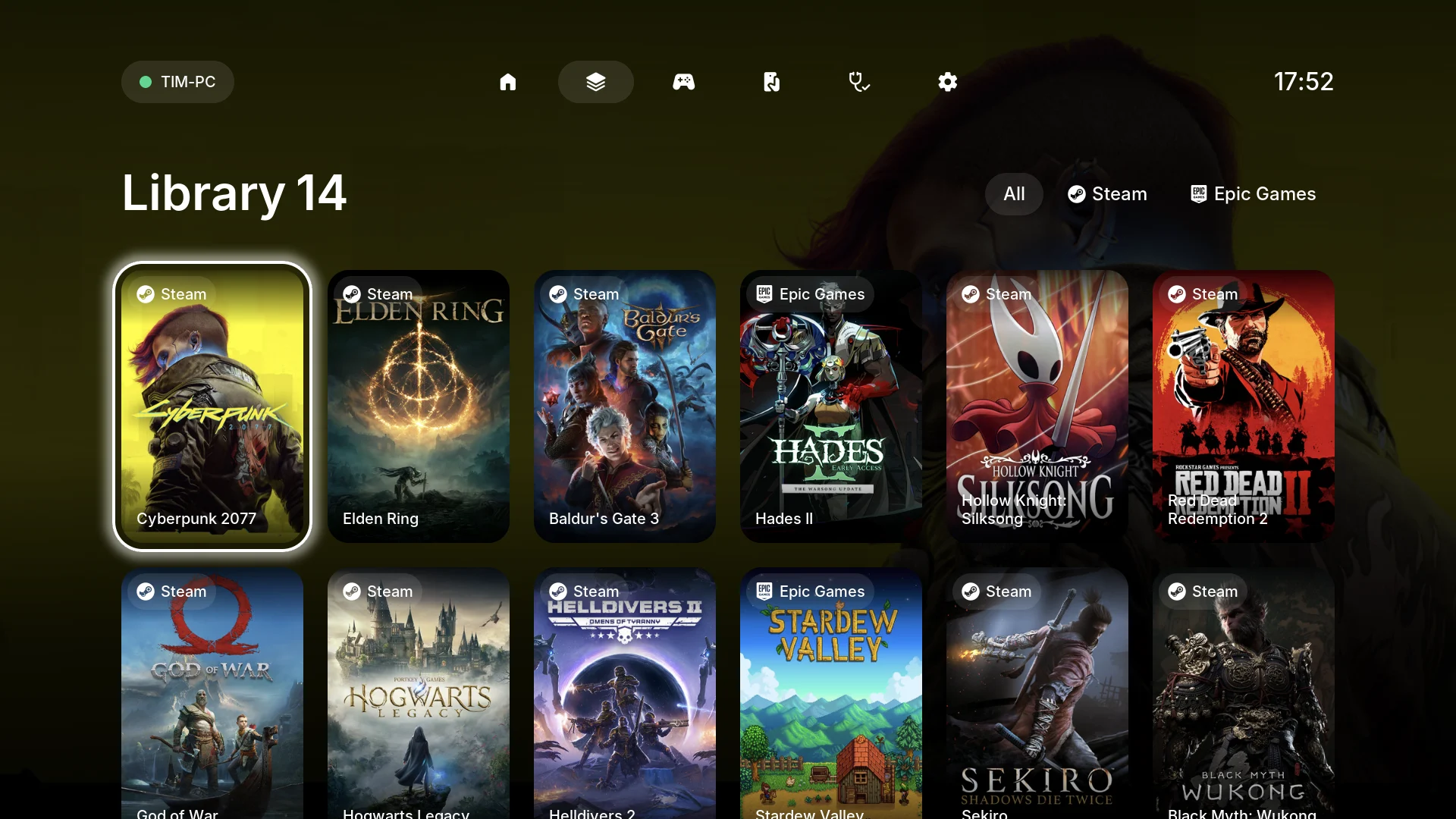
Moonlight and Sunshine already stream a gaming PC to a TV, for free and well. The trouble is everything around the stream. The flow that started this project crossed four foreign screens before a game appeared: the Moonlight splash, its UI, its connect screen, our own splash — and then a flash of the Windows desktop. You typed a PIN on the TV. You picked the game from a list that only knew about Steam. And when you quit, you landed on a desktop with a mouse cursor you couldn't move.
CouchDeck is for someone who already owns the PC and the TV and wants it to feel like a console: turn on the TV, open one app, pick up the gamepad, see every game in one library, press a button, play.
What I built
A zero-dependency Node agent on the PC scans the Steam, Epic and GOG libraries from their manifests on disk, fetches cover art, talks to Apollo (the Sunshine fork that does the actual streaming), and exposes a small HTTP API. A Windows tray app and a one-click installer wrap it — bundled portable Node, bundled Apollo, generated credentials, autostart, uninstaller, no console windows, "double-click and wait about a minute". On the TV, a Kotlin/Compose client forked from moonlight-android and a C/LVGL client forked from moonlight-tv for webOS, both built from one Figma file I drew at the TV's exact 1920×1080.
Pairing is automatic. The client invents a PIN, starts pairing with Apollo, and posts the same PIN to the agent, which confirms it on your behalf and grants full permissions. No digits ever appear on screen.
Since the first end-to-end run the Android client has grown the rest of a console: quality presets picked from a link test, with a "looks bad" report from the overlay; Wake-on-LAN; pairing a gamepad from inside the app; an alphabet jump through a long library; UI sounds and press feedback.
Design decisions
The stream starts under an opaque curtain and the client only lifts it when the game window actually exists. The agent's run wrapper emits four events — starting, running, closing, exited — and the curtain follows them. closing exists because Battlefield 6 keeps its process alive for 70 seconds after its window disappears, streaming the desktop the whole time.
The focus ring is one component that morphs between a 104×60 nav pill and a 1016×112 settings row. Keying it by shape and size makes the old ring die in place and the new one emerge 32 px behind the direction of travel. I verified it by slowing animations from 200 ms to 3 s and diffing adb screenshots pixel by pixel — screenrecord captures six frames in three seconds and can't see motion at all.
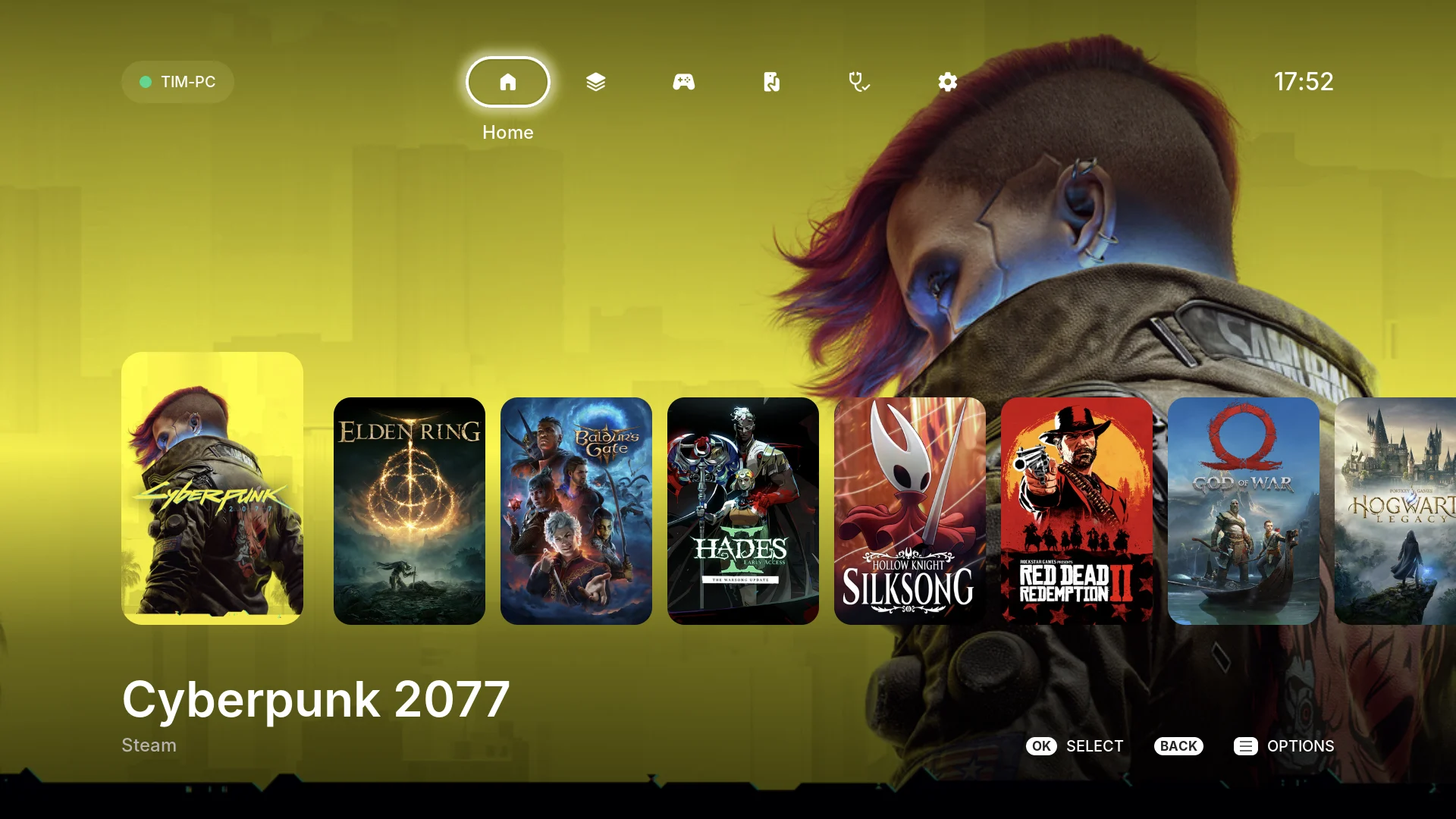
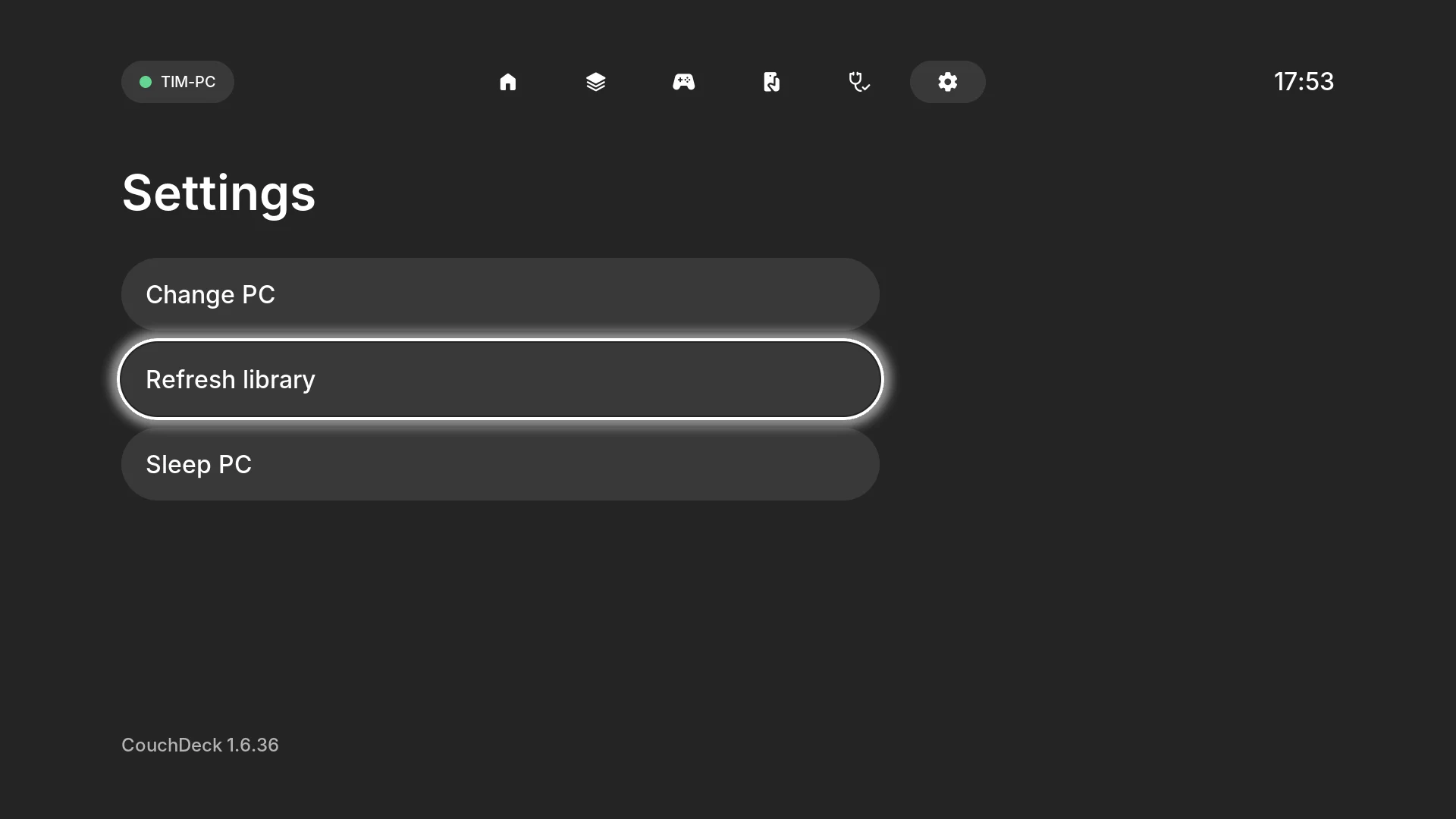
The ring's two shapes — the nav pill and a settings row — shown on the webOS build. On Android TV one ring morphs between them.
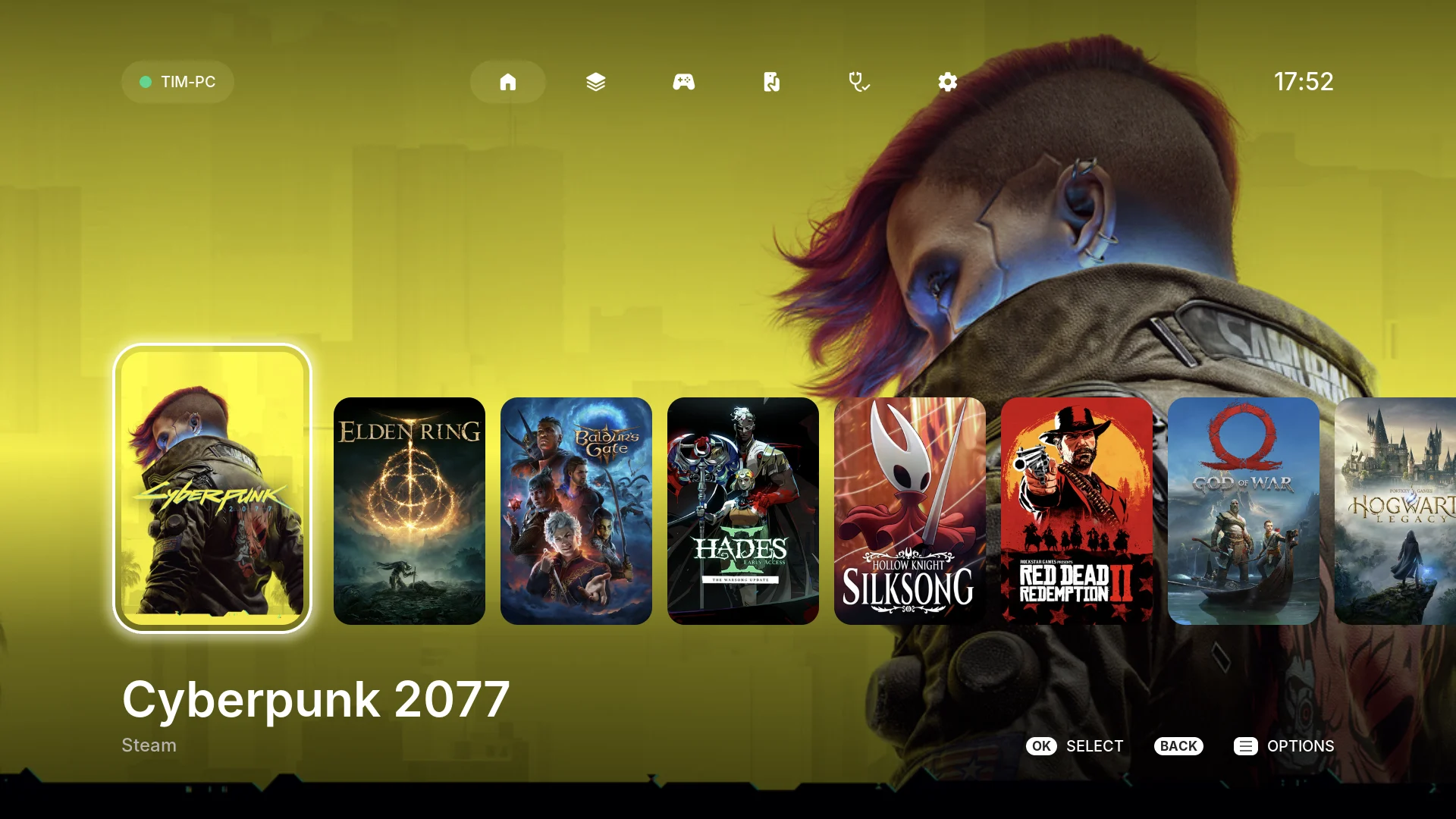
The hero scrim was tuned on the real TV so a 64 px white title survives Cyberpunk's yellow key art — the hardest cover in the library, in the picture above. The nav icons are 32, not the mock's 36 — also decided on the TV. The spec's rule is that when the code and the document disagree, the document wins, so I changed the document to match the TV.
A Russian desktop path — 'Рабочий стол' — arrived at the installer as question marks after a trip through the system code page. Paths now travel in UTF-8 JSON, never on a command line, and the product is English-only with byte-level tests guarding it.
The hard parts
Anti-cheat processes run elevated, so their path is unreadable and any filter by install directory silently misses them: FragPunk reported running 21 seconds late and exited 96 seconds late, and closing never. The fix identifies the game by window, not process — snapshot windows before launch; the one that appears after and survives two polls is the game.
Apollo grants full rights only to the first paired device; everyone after gets read-only and fails at launch with a 403. The agent diffs the client list before and after PIN confirmation — but the confirm call returns mid-handshake, so a single request always sees an empty diff. Polling every 250 ms for up to four seconds, bounded by the client's six-second timeout, takes the first non-empty diff.
Once PIN confirmation moved from human to agent, any device on the LAN could pair itself forever. The window opens only by a human action on the PC, caps at ten minutes, closes on first success — and runs on a monotonic clock, because Windows corrects the system clock right after login and a backwards step used to extend the window.
Three live iterations: 20–22 fps, then 7–12 after adding per-frame scaling, then smooth. The rule that fell out: no zoom transforms, no full-screen alpha blends in animations. Bake everything into textures in workers — rounded corners and scrims included. The focus ring is seven pre-rendered PNGs, one per size.
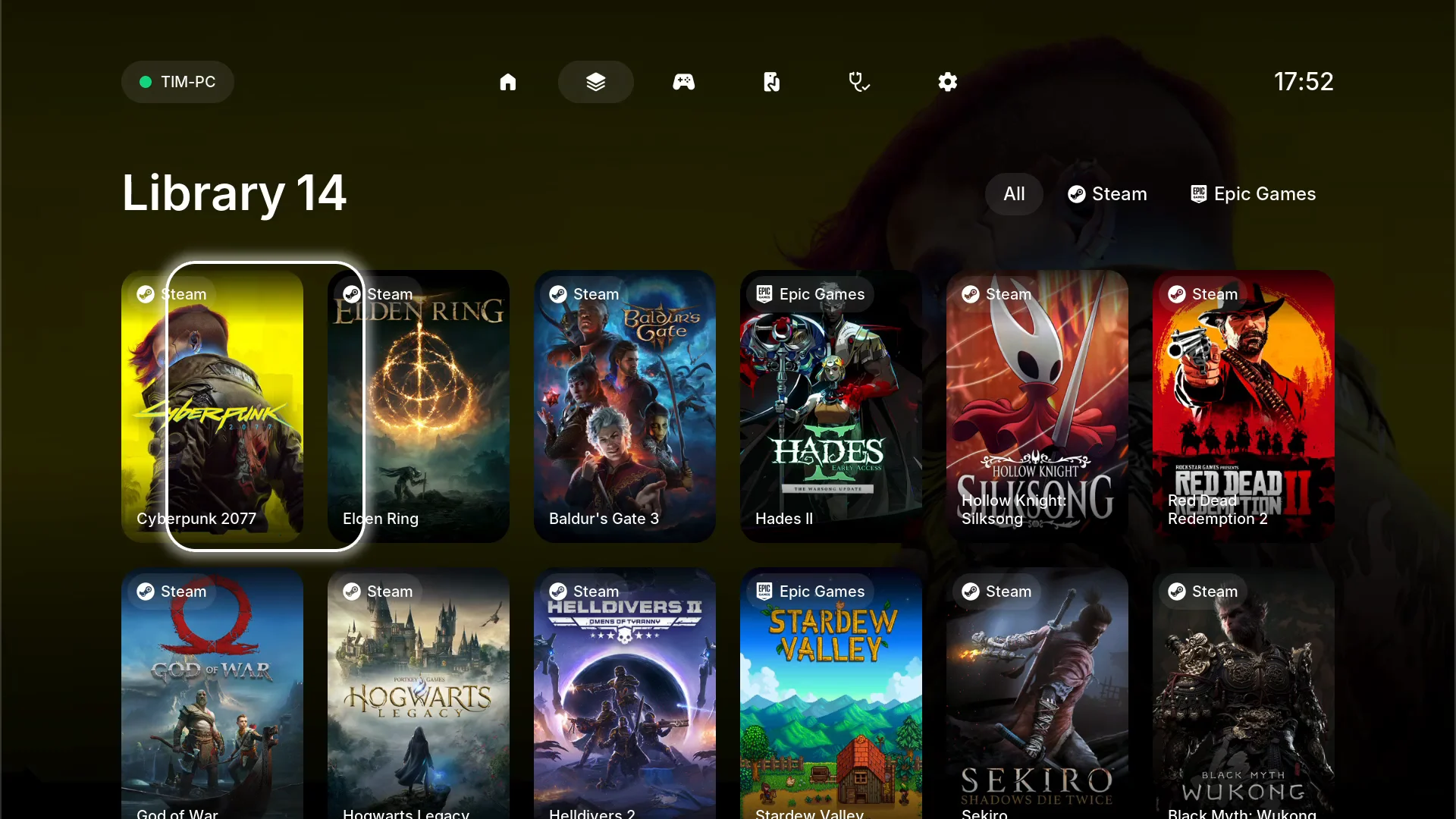
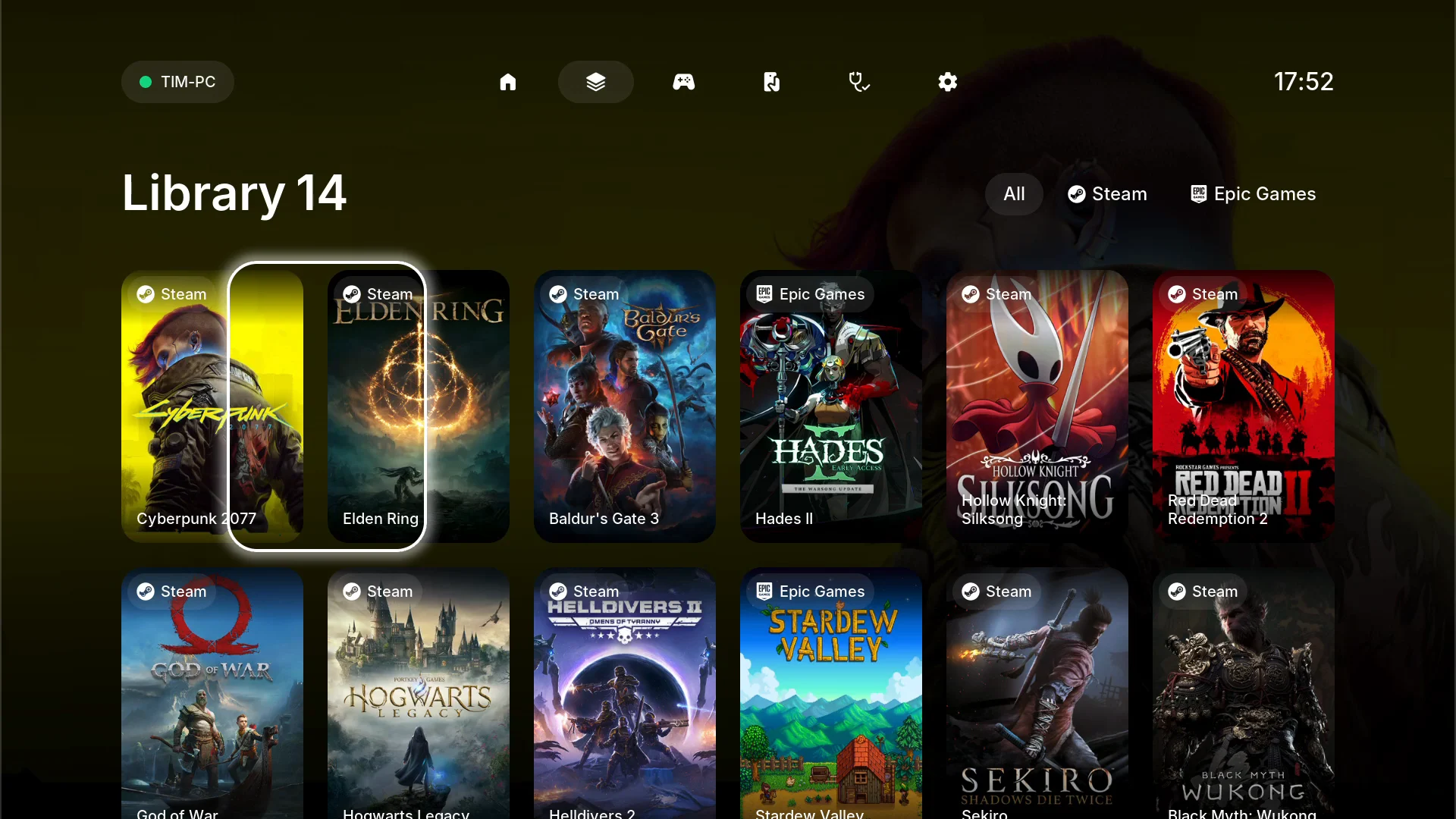
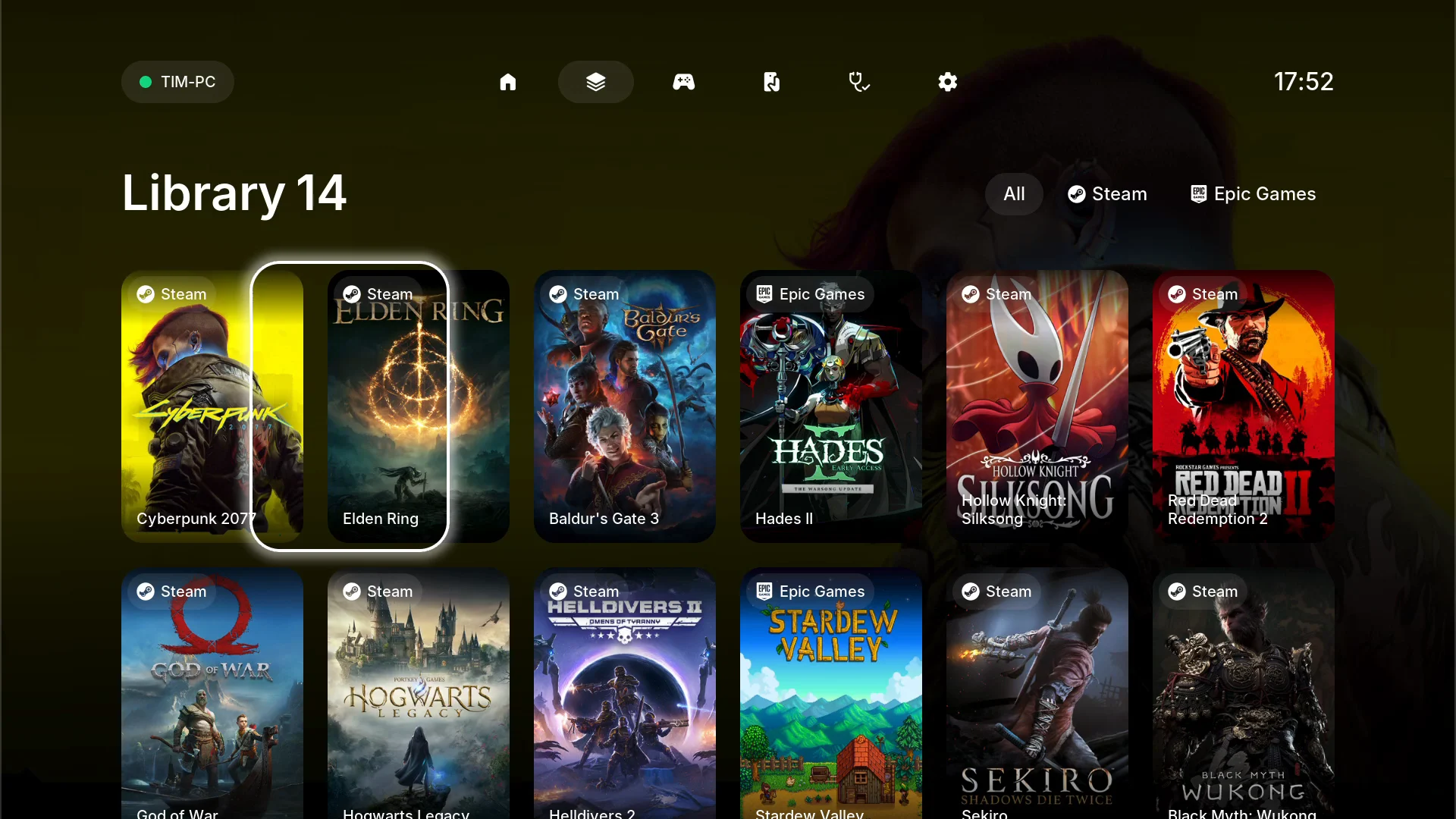
The ring flying from Cyberpunk 2077 to Elden Ring on the webOS build: three frames of one 200 ms move. A pre-rendered texture slides; nothing is scaled per frame.
Node's single-executable builds can't do ESM, so the agent ships as portable Node plus files. Homebrew's makensis dies with bad_alloc; the one in a Debian container builds a real PE32. The webOS .ipk cross-builds in Docker in about nine seconds. A Windows box is now needed only for the final live install check.
How it was built
257 commits in the agent repository between 23 August and 13 September, plus 188 across the two client forks. Three independent test suites — 527 Node tests, 451 on the JVM, 221 ctest cases — and mutation testing on every task (breaking the code on purpose to check the tests notice), which caught two real defects that 380 tests had missed. I built it with Claude Code agents; CLAUDE.md holds the hard rules (no npm dependencies, don't touch the event contract); the specs, plans and session hand-offs live in the repo as project memory, including a "known rough edges" register that is deliberately not fixed in passing.
Where it stands: v1.0 is built and signed for Google Play, and closed testing is next. The first install on someone else's PC found three bugs in the installer; all three are fixed and wait for the next live run. webOS stays a personal build.
Free downloadmacOSSwift2026
A menu-bar cat that tells you when a Claude Code agent needs you.