macOS2026Shipping — free download

CodeCat

A menu-bar cat that tells you when a Claude Code agent needs you.
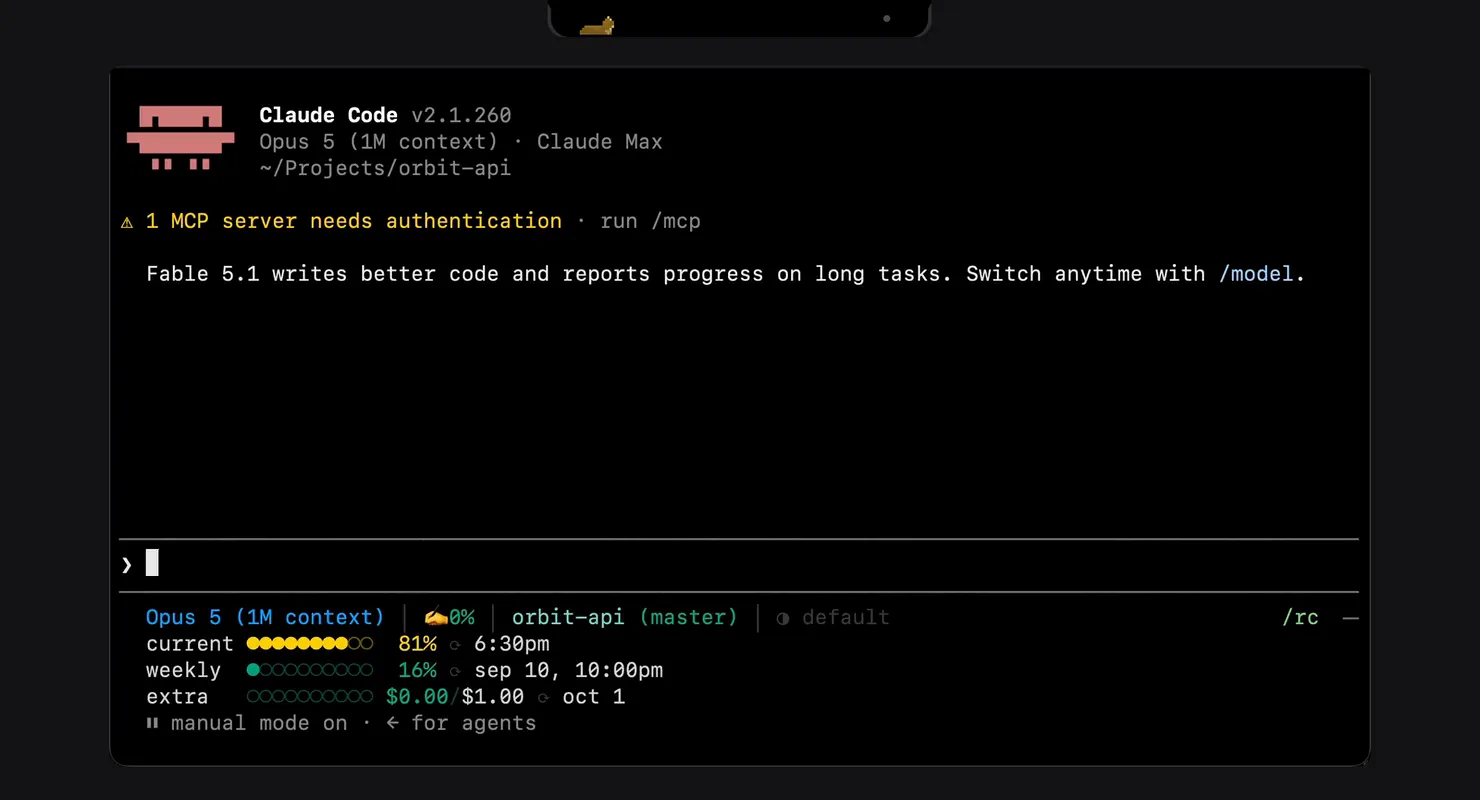
CodeCat on a MacBook: a Claude Code session in Terminal and the black island over the notch, its cat working, then waiting with an orange badge, then done.
A real Claude Code session in Terminal and the installed island reacting to its hooks: working, waiting for a permission, the session menu, done. The menu is a second capture with three fake sessions; the rest of the desktop is masked.
5 days
spec to shipped build
17.6k
lines of Swift, 6.6k of them tests
552
tests
0
dependencies

At a glance

  • Knows when an agent needs you Reads five Claude Code hooks instead of guessing from CPU
  • Awake only while agents work IOKit assertion, 120 s grace, 15% battery floor
  • Lives on the notch Measured geometry: 32 pt bar, 185 pt notch, level 26
  • Jump to the exact tab Terminal or iTerm2 by tty, or the exact chat in the desktop app
  • No network, no analytics Zero dependencies, a 2 MB notarized download
  • Closed-lid mode with a safety net Sudoers rule for two commands + watchdog daemon

The problem

Two silent failures

You give an agent a long task, close the lid, walk away. Two things go wrong: the agent stops to ask a permission question and sits idle for an hour, or the Mac falls asleep and cuts the session mid-work.

The existing tools each solve half of it. caffeinate and Amphetamine keep the Mac awake but have no idea whether an agent is still working. Claude Code's own notification hook fires once and forgets. RunCat reacts to CPU, and a waiting agent uses none.

I wanted one thing on screen that knows the state of every session and reacts to it: keep the Mac awake while agents work, and get my attention the moment one needs me.

Knows an agent is working Keeps the Mac awake Gets you when it waits caffeinate, Amphetamine keep the Mac awake, blind to agents Claude Code notification hook fires once, then forgets RunCat reacts to CPU — a waiting agent uses none CodeCat
What each tool knows. A grey dot means partly: the hook tells you once, RunCat guesses from CPU.

What I built

One model of every session

CodeCat is a native macOS menu-bar utility. It subscribes to Claude Code's hooks, keeps a live model of every session — CLI and desktop app — and drives three things from it: an IOKit power assertion, a menu-bar item, and a pixel cat.

Claude Code CLI Terminal · iTerm2 Claude desktop app Code tab ~/.claude/projects transcripts codecat-hook inside CodeCat.app SessionStore every session, one model Power IOKit assertion; lid: pmset + watchdog Island · cat notch, badge, menu Jump tty → the exact tab; claude:// → the chat datagram socket step · task · handoffs SessionStart · UserPromptSubmit Stop · Notification · SessionEnd
Five hooks go through a small binary inside the app and a Unix datagram socket. The transcripts on disk add what the hooks don't carry: the agent's current step, the task in your words, the files it handed back.

The cat is the interface. It sleeps when nothing is running, works with a badge showing the session count, waves a paw with an orange badge when an agent is waiting for you, and stretches and lies down when everything is done. It lives either as a floating always-on-top window or as an "island" — a black plate that covers the MacBook notch, cat on the left, session counter on the right.

The CodeCat island on a MacBook notch: a pixel cat on a black plate, with a session counter showing two running agents.
The island at 1:1, drawn live from the app's own geometry: sleeping, working with a session count, waiting for you, done. I kept orange for one state, an agent waiting for you, and red for a session that crashed.

Clicking a session takes you to it. In Terminal and iTerm2 that is the exact tab, found by its tty. In the desktop Claude app it is the exact chat: the app keeps a record per session and registers a claude://code/continue link, and since 0.4.0 the row opens that chat instead of just bringing the app forward. A "while you were away" panel collects everything that happened between screen lock and unlock. Closed-lid mode uses pmset disablesleep behind a sudoers rule scoped to exactly two commands, with a LaunchDaemon that clears the flag if CodeCat ever dies.

In 0.4.0 the cat also learned to wear any pet drawn for the Codex pet format — a folder with a pet.json and an 8 × 9 sprite sheet, read from ~/.codex/pets or from CodeCat's own Pets folder. The format is someone else's, which set the rules: pets are read where they are, never copied or redistributed, and a broken folder is skipped and named once in the log. They often ship upscaled, so CodeCat finds the sheet's native pixel pitch and draws it as crisply as the built-in packs whenever the native drawing fits the cat's canvas. Sessions are still Claude Code only: wearing a Codex pet doesn't make CodeCat track Codex.

Next release

The island tells you what each agent is doing

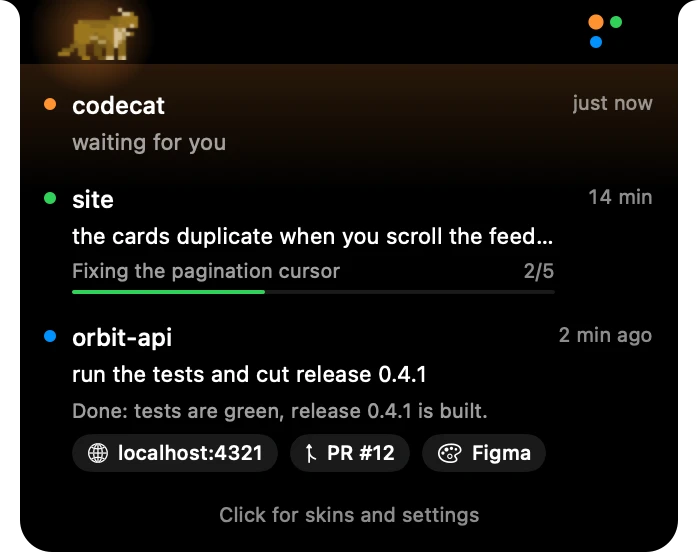
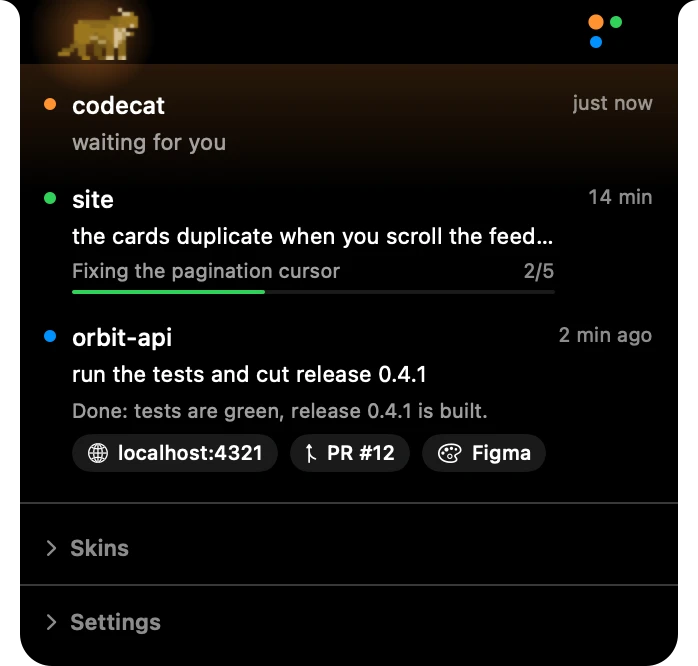
0.4.0 counted sessions. The next release, built on 18 September, draws one dot per session in its own colour — up to four, then a count — and lets the worst state tint the glow behind the cat. Hover, and each row says the task in your words, the step the agent is on and how far along its own plan it is, read from the TodoWrite list it keeps in the transcript. A finished turn hands back what it made — a local server, a pull request, a Figma link — as chips you can click or drag.


The island asleep: the cat lying down and one grey dot.
Nothing running. One grey dot.
The island with two green dots and a green glow behind the cat.
Two agents working. A dot each.
The island with an orange dot among green ones and an orange glow.
One waits for you. The glow takes its colour.
The island with a red dot and a red glow; the cat sits up, alarmed.
One crashed. Red, and the cat sits up.
The island's hover menu: codecat waiting for you; site working on “the cards duplicate when you scroll the feed”, step “Fixing the pagination cursor”, 2 of 5, with a progress bar; orbit-api done — “tests are green, release 0.4.1 is built” — with chips for localhost:4321, PR #12 and Figma.
The hover menu at 1:1, rendered from the app's own views with demo sessions. Waiting first, then working with its step and progress, then done with its handoffs.

Design decisions

Four rules the product runs on

Measured on the hardware

The menu bar on a notched display is 32 pt, not the 22 pt NSStatusBar reports. The notch is 185 pt wide. The island sits at window level 26 — above the menu bar (24) and status icons (25), below pop-up menus (101).

notch 101 pop-up menus 26 the island 25 status items 24 menu bar 185 pt Window level Menu bar on a notched display, ×1.5 32 pt not 22 Every number measured on hardware before a pixel was drawn.

Two surfaces, one component set

The floating panel sits on system material and uses semantic colours. The island sits on pure black to match the physical notch, and there the system colours lie: .secondary renders near-black on black in light mode. So the island's whites are fixed values (1.0 / 0.62 / 0.38 / 0.08), and selection is a white border, because system blue already means 'done'.
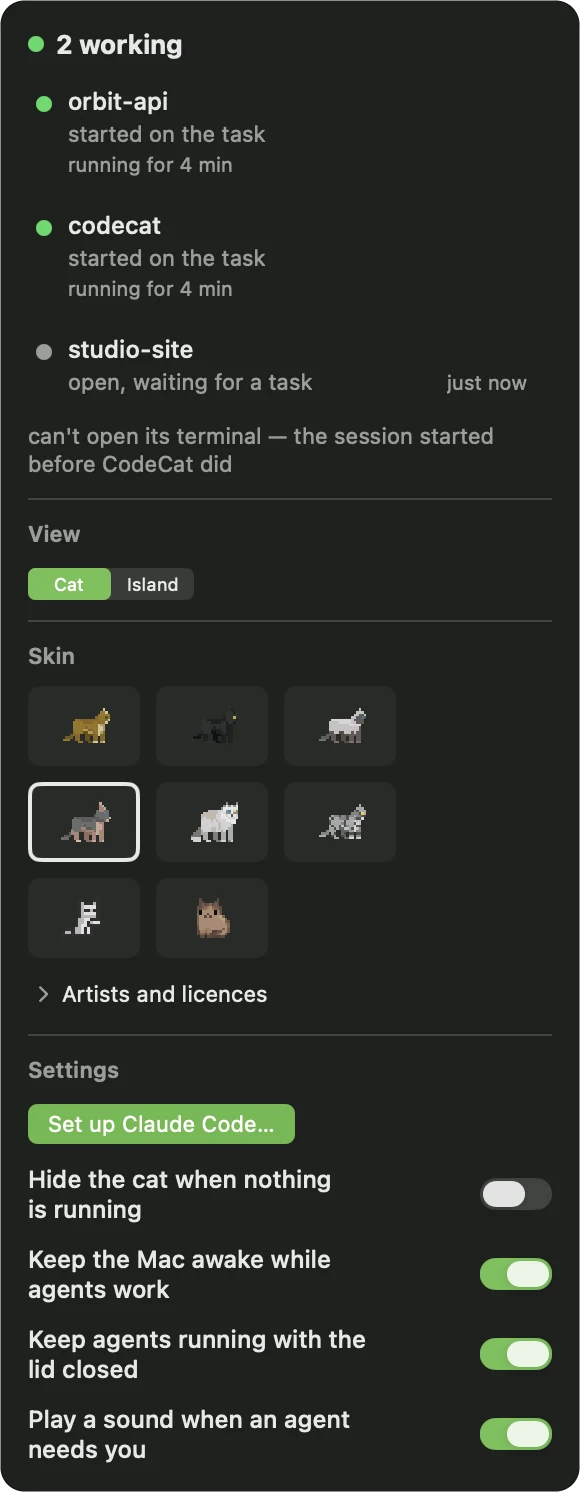
The floating panel on system material: two sessions working and one idle, the Cat / Island switch, a grid of skins, and the settings, starting with a green Set up Claude Code button.
The island's full menu on black: a session waiting, one working with its step and progress, one done with its handoff chips, then Skins and Settings collapsed.

Left: the floating panel in 0.4.0 — one indicator drives the title, the rows and the badge; setting up Claude Code is the first thing in the settings, and it asks before it writes. Right: the island's menu in the next release, on black. Both at 1:1.

A done state that can loop

'Done' plays stretch twice → lie down → breathe, because a one-shot animation looks absurd on a loop. A skin missing a state reuses its own nearest animation rather than borrowing from another skin.

Nine frames of the Ginger cat's done animation: stretching forward, stretching again, lowering, lying down, breathing.
Nine of the 23 frames of done, from the sprite sheet, at 3×. Stretch, stretch, lie down, breathe — then the breathing loops.

An idle tab is not work

SessionStart fires on launch, on --resume and on /clear, before any work exists. Treating it as work left a permanent phantom '1' on the badge. Idle became its own state, excluded from the badge, the aggregate and the power policy.

Idle open, no work Working Waiting for you permission · question Done Ended crashed mid-work SessionStart UserPromptSubmit Notification you answer Stop the next prompt agent process gone The badge counts working and waiting. The Mac stays awake for working only. Idle counts for neither. SessionEnd removes a session from any state.
The five states and the hooks that move a session between them. The colours are the product's own: green works, orange waits for you, blue is done, red is a crash.

The hard parts

What broke, and how I found it

One waiting agent was putting everyone else to sleep

The power policy read the display aggregate, where 'waiting' outranks 'working' — so a single permission prompt released the sleep assertion for every other running agent. It was the exact failure CodeCat exists to prevent, and no per-task test caught it. The review of the whole branch did. The fix is a separate anyWorking accessor that ignores display priority.

working working waiting aggregate waiting outranks working PowerManager “nothing is working” Mac sleeps two agents cut off anyWorking ignores display priority PowerManager “two are working” Mac stays awake Before After the whole-branch review Three sessions

pmset disablesleep 0 dropped the Mac to sleep in 37 ms

Clearing the flag on exit made the kernel re-read accumulated idle time and sleep immediately. The watchdog now handles cleanup asynchronously instead.

Notarization silently breaks Apple events

Hardened runtime — required for notarization — blocks the AppleScript that selects a terminal tab, with errAEEventNotPermitted. It is invisible on ad-hoc builds. The fix is an entitlement, plus a make sign guard that greps the signature for it rather than trusting the file.

Finding the terminal that spawned a hook

The hook binary lives inside CodeCat.app, so walking the process tree from getpid() names CodeCat as the session owner. Walking from getppid() and collecting the outermost .app, bundle id and inherited tty finds the real one — and routes are cached on disk so a restart doesn't orphan live sessions.

launchd Terminal.app login zsh tty s004 claude codecat-hook CodeCat.app getpid(): the hook’s own path getppid(), upward: the outermost .app, its bundle id, the tty Parent → child

How it was built

Five days to a signed build

I wrote the spec at 23:10 on 28 August. The agents wrote their first code 17 minutes later. Working installed build on day two, signed and notarized on day five: 151 commits, roughly a third of them post-review fixes. I had every mascot state rendered to PNG and checked each one by eye. That is how I found that all the animations were attached to an EmptyView(): the cat had no body.

No analytics, no network calls, no dependencies. The download is a 2 MB notarized disk image.

Per task Spec Plan Implementer fresh subagent Reviewer fresh subagent Whole-branch review 4 cross-component defects fixes
A fresh implementer subagent per task, a reviewer subagent after it, then one review of the whole branch — which caught four defects that crossed components, where no single-task review could see them.
Commits a day, all branches — 242 28 Aug 54 0.2.0 1 Sep 0.3.0 5 0.4.0 14 island 18
242 commits across all branches. Releases in black; the last bar is the live island, not yet released.

Details

Role
Product design, Swift engineering, release — solo
Stack
SwiftSwiftUIAppKitIOKitClaude Code hooks
Timeline
  1. 28 Aug, 23:10 · Spec written
  2. 28 Aug, 23:27 · First code
  3. 30 Aug · Working installed build
  4. 1 Sep · 0.2.0, signed and notarized: 151 commits, 390 tests
  5. 14 Sep · 0.4.0 public: Codex pets, desktop deep link, UX pass — 217 commits, 468 tests
  6. 18 Sep · Live island, for the next release: a dot per session, the agent's step, handoffs — 242 commits, 552 tests

Next

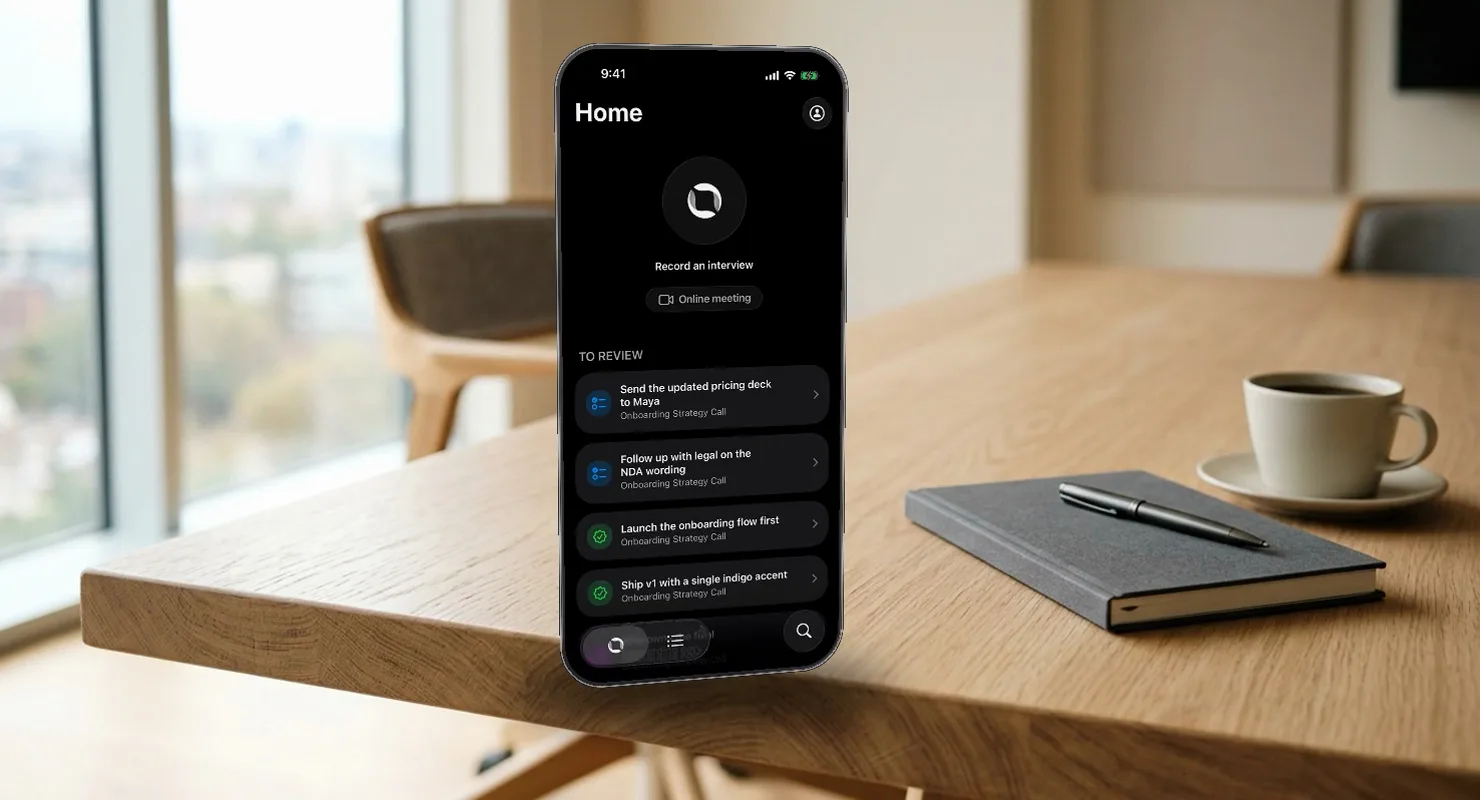
A meeting assistant that understands the conversation on your phone, in real time, and turns it into tracked work.

TestFlightiOSSwift2026

Eily

A meeting assistant that understands the conversation on your phone, in real time, and turns it into tracked work.