Product Designer2018iOSProduct design, requirements, logo

Blinds App

An iOS app for motorised blinds, curtains and shutters. The client came with the hardware; I gathered the requirements with their developers and designed the app and the logo.
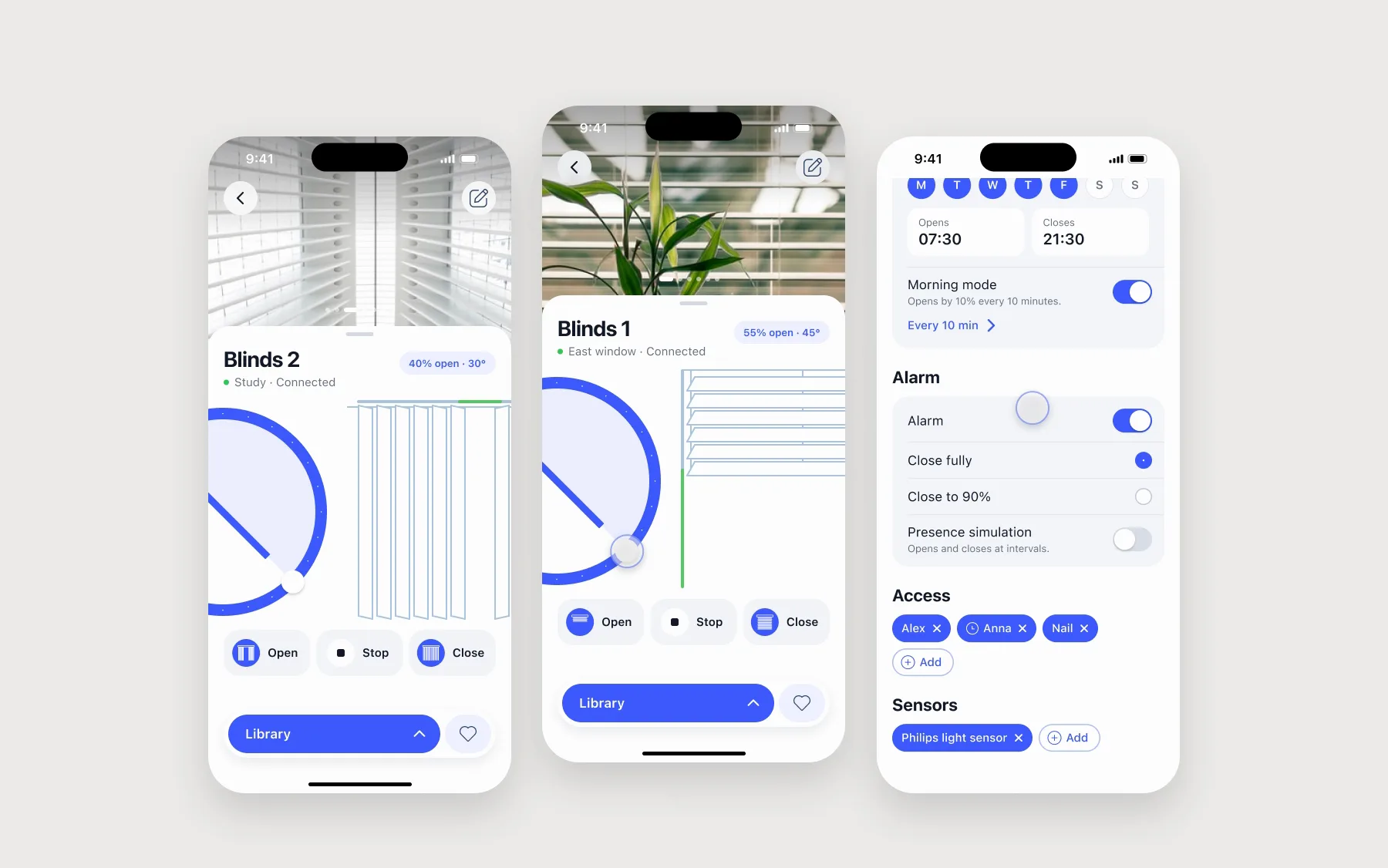
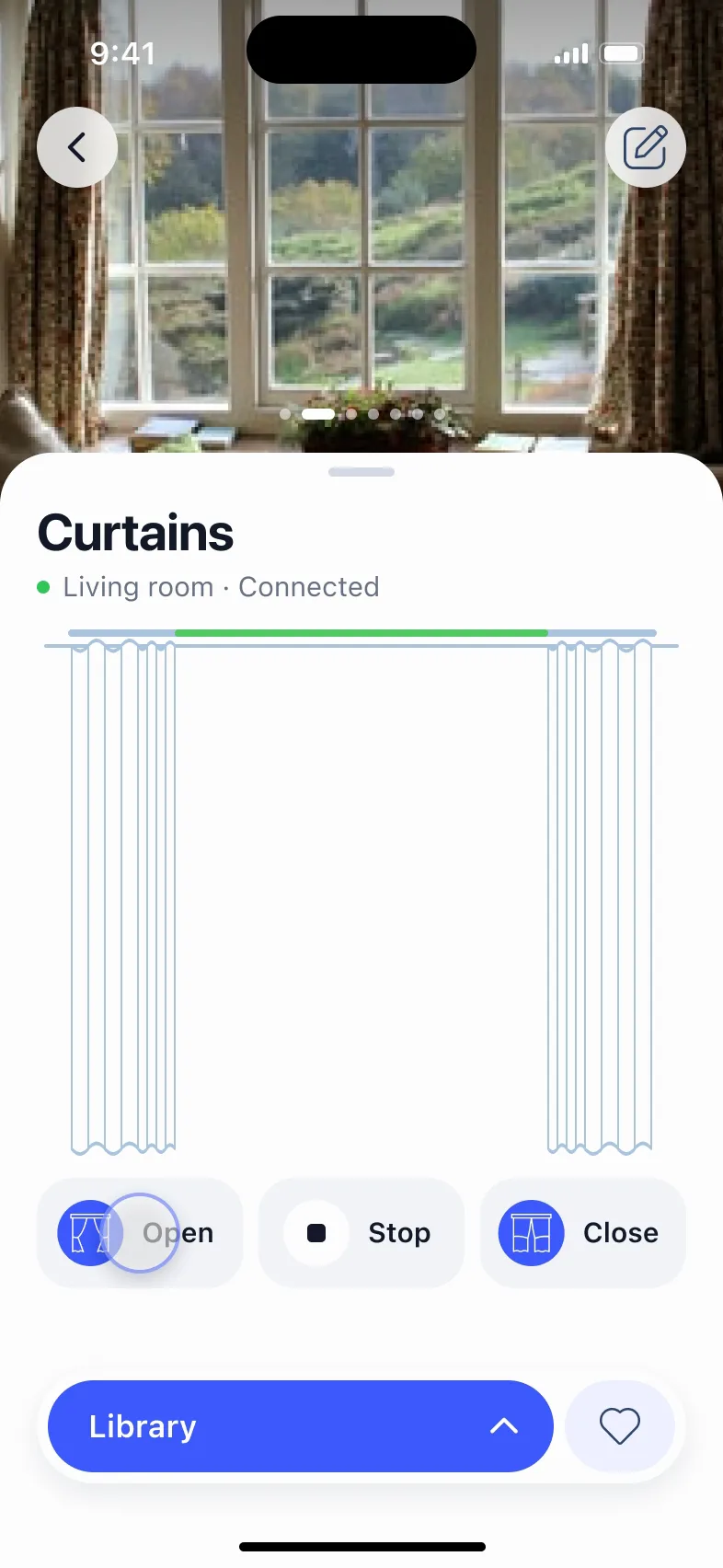
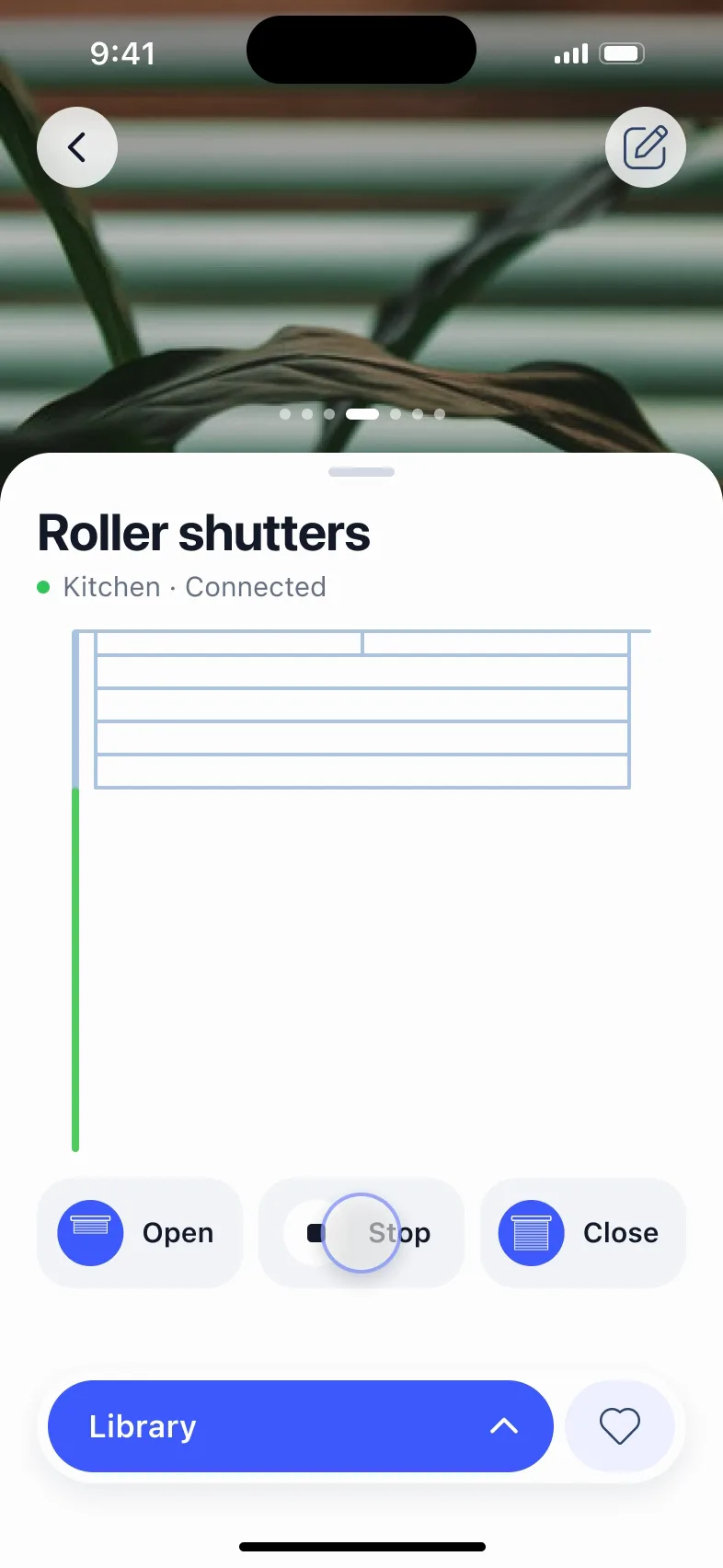
Three phones playing. In the middle, a tap on Blinds 1 grows its photo into the screen and the controls rise in; the wheel tilts the slats, a swipe brings the curtains, Open gathers them, another swipe brings the roller shutters, which roll up until Stop. On the left, a slider over vertical blinds moves from 30% to 60%. On the right, a switch in the automation list turns on and an alarm option is picked.
One screen per kind of blind, and the drawing moves with it. Redrawn in 2026 around the original drawings.

The brief

Seven kinds of window, one app

The client made the motors and the controllers and needed an app for them. I sat with their developers to work out what each drive could do and what it reported back, so I knew which states the phone had to show.

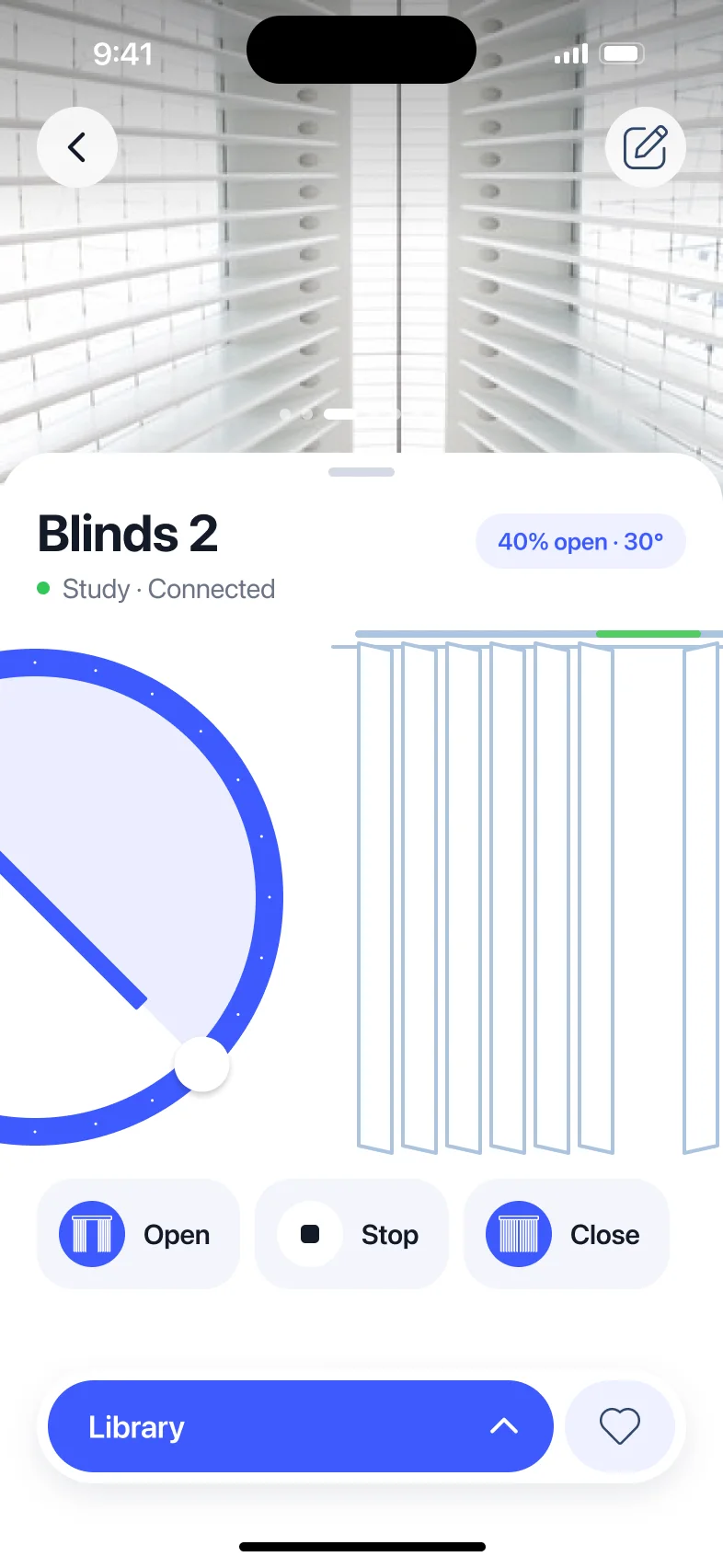
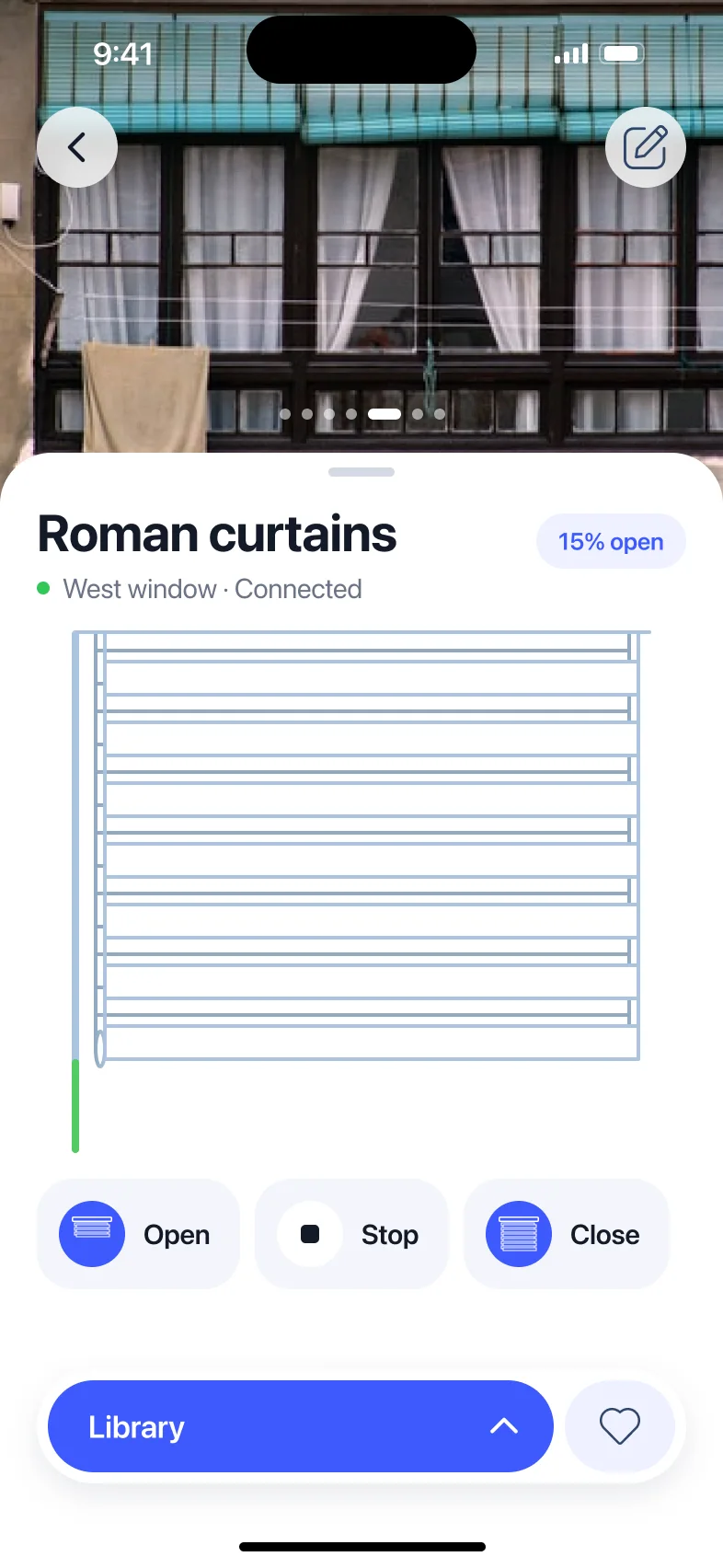
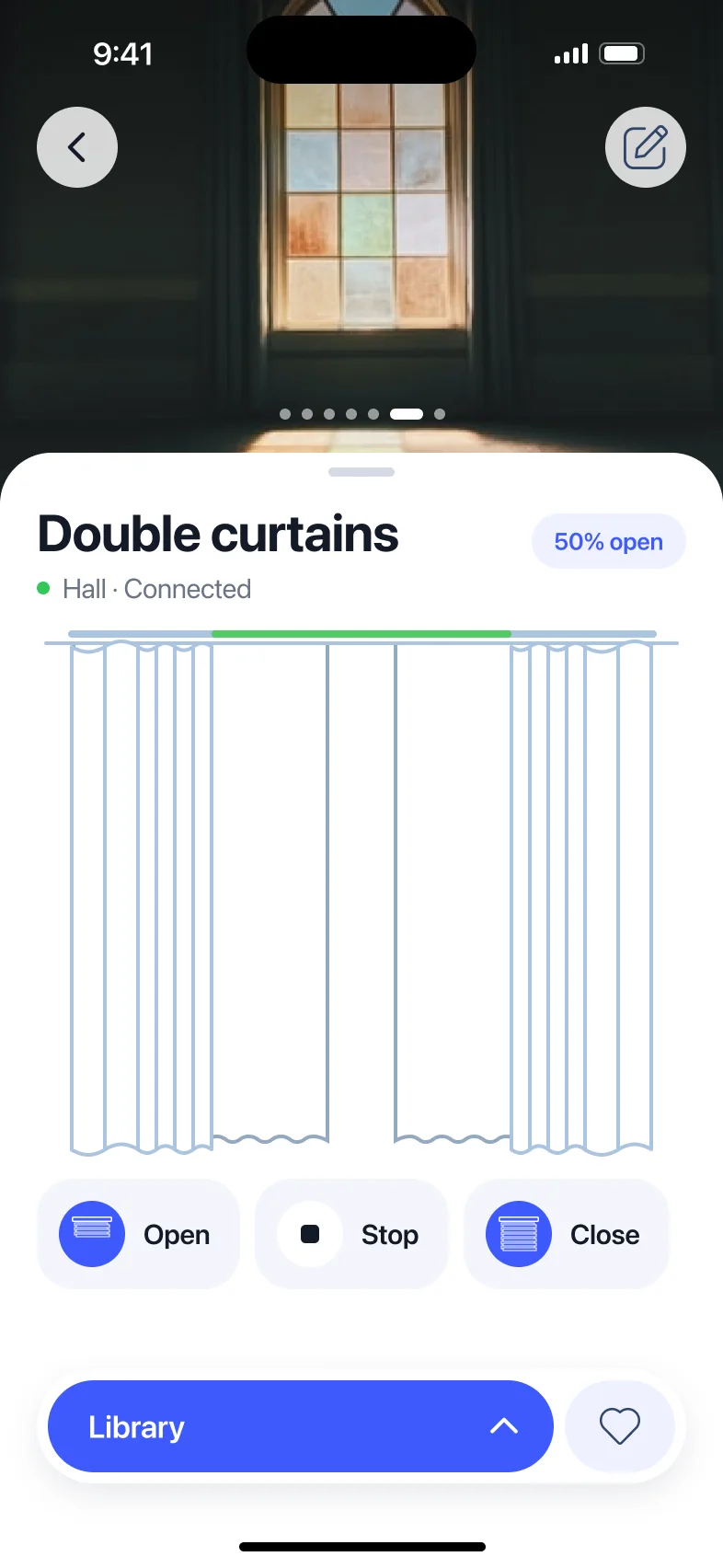
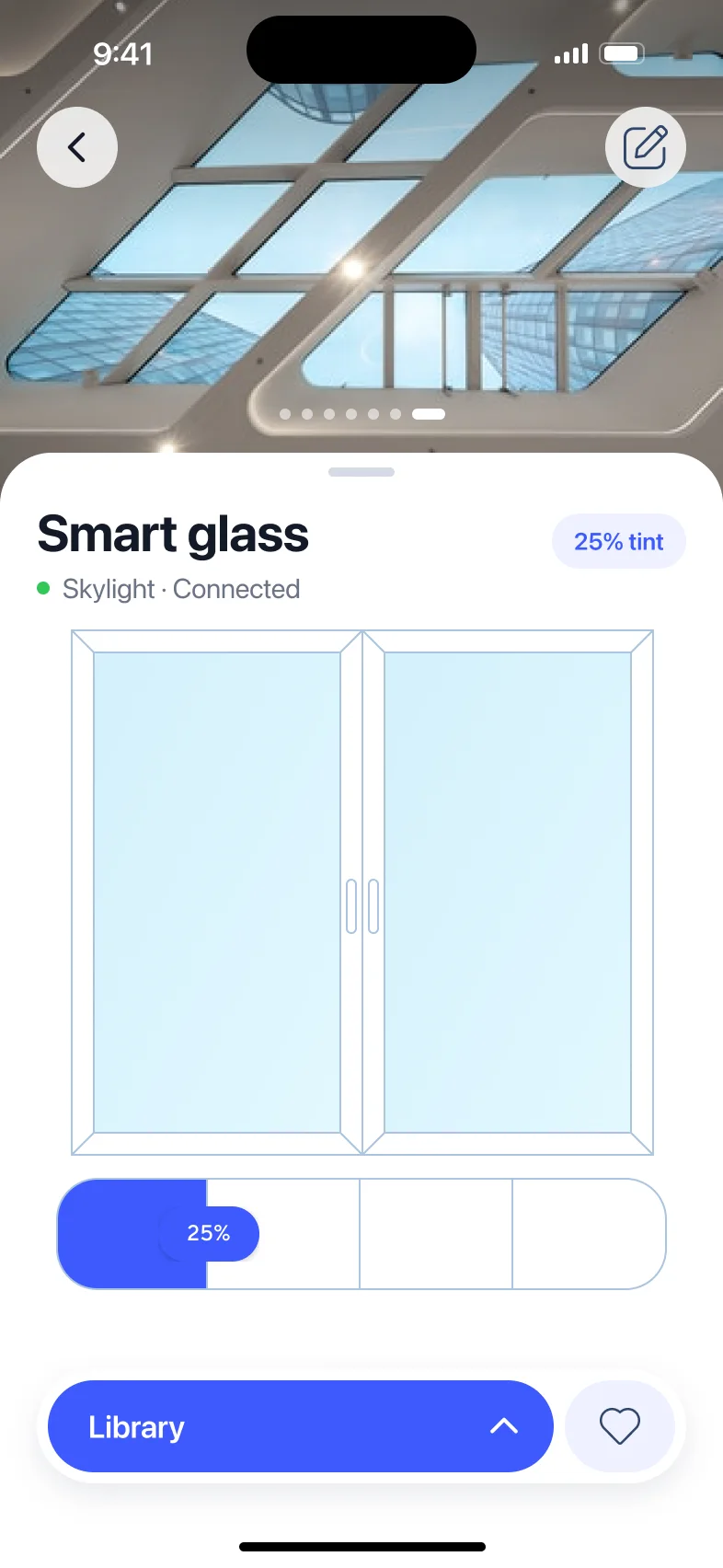
There were seven kinds of device: horizontal and vertical blinds, curtains, double curtains, Roman blinds, roller shutters and smart glass. Each one gets its own screen: a photo of the real window at the top, and under it a line drawing of that exact blind, which moves as the blind does.

Decisions
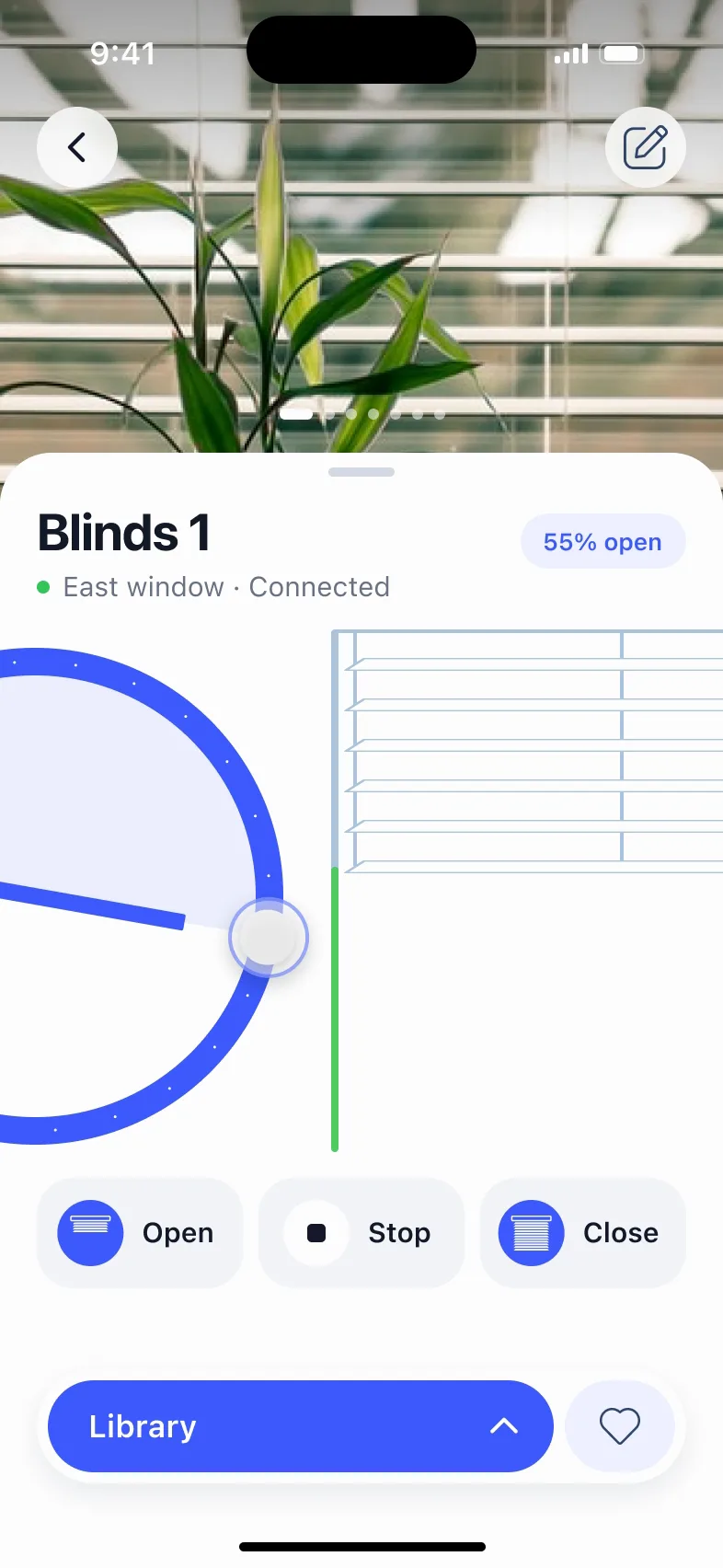
A drawing for each kind of blind

  • The drawing is the state Instead of one slider for everything, every kind of blind has its own drawing. The green line shows how far it is open; the slats, folds and panels sit where the real ones are. Price: seven drawings to draw, and each has to follow its motor.
  • Tilt on a wheel Slatted blinds have two values, how far down and at what angle. The angle is a wheel on the edge of the screen, under the thumb, and the slats turn with it. Price: the wheel only half fits on the screen.
  • Swipe to the next window Devices sit in a row. A swipe over the photo goes to the next window without going back to the list.
Horizontal blinds: a finger turns the wheel, the slats in the drawing flatten open, then close up, then settle back.
Curtains: Open is tapped and the drawn folds gather to both sides while the green line on the rail widens; Close brings them back.
Roller shutters: Open is tapped, the slats roll up into the box, Stop is tapped halfway and they halt; Close lowers them again.
The wheel tilts the slats. Open gathers the curtains to the sides. The shutter rolls up, and Stop halts it where it is.
Vertical blinds: a photo of white vertical slats, the wheel and a drawing of hanging vanes with a green bar on the rail.Roman blinds: a photo of a facade with teal blinds and a drawing of stacked folds with a green bar on the side.Double curtains: a photo of a stained-glass window and a drawing of sheer and blackout panels on one rail.Smart glass: a photo of a glass roof, a drawing of a two-pane window, and a four-step tint control at 25%.
The rest of the family: vertical blinds, Roman blinds, double curtains and smart glass, which tints in four steps.

Around the drawing

Schedules, an alarm, and who else can open it

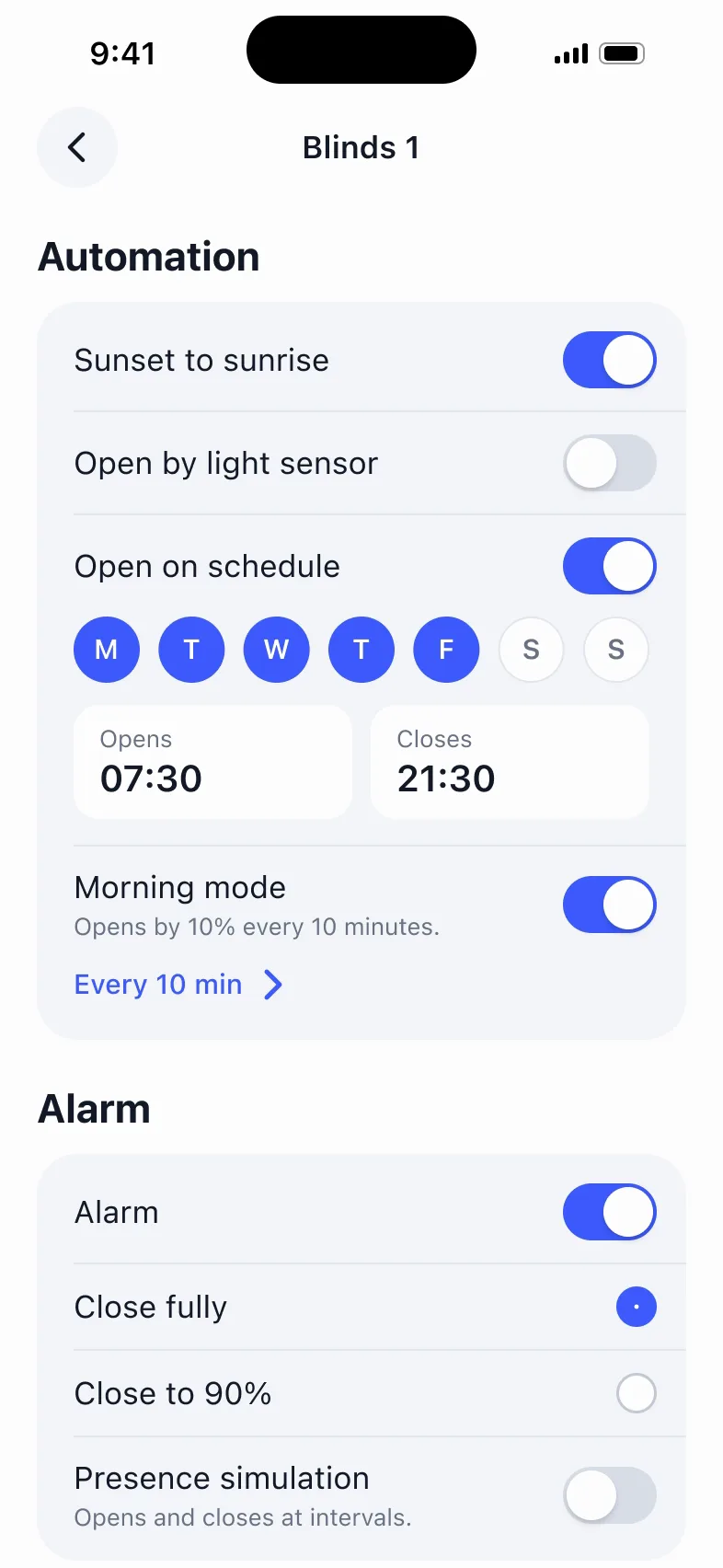
The home screen lists windows and devices, with groups on top: two blinds in one window move together. Under each device's controls: open at sunrise and close at sunset, open by a light sensor, a weekly schedule, and a morning mode that opens the blind 10 % every 10 minutes.

An alarm closes everything; presence simulation opens and closes the blinds while nobody is home. Access is shared with family by room, and can be limited in time.
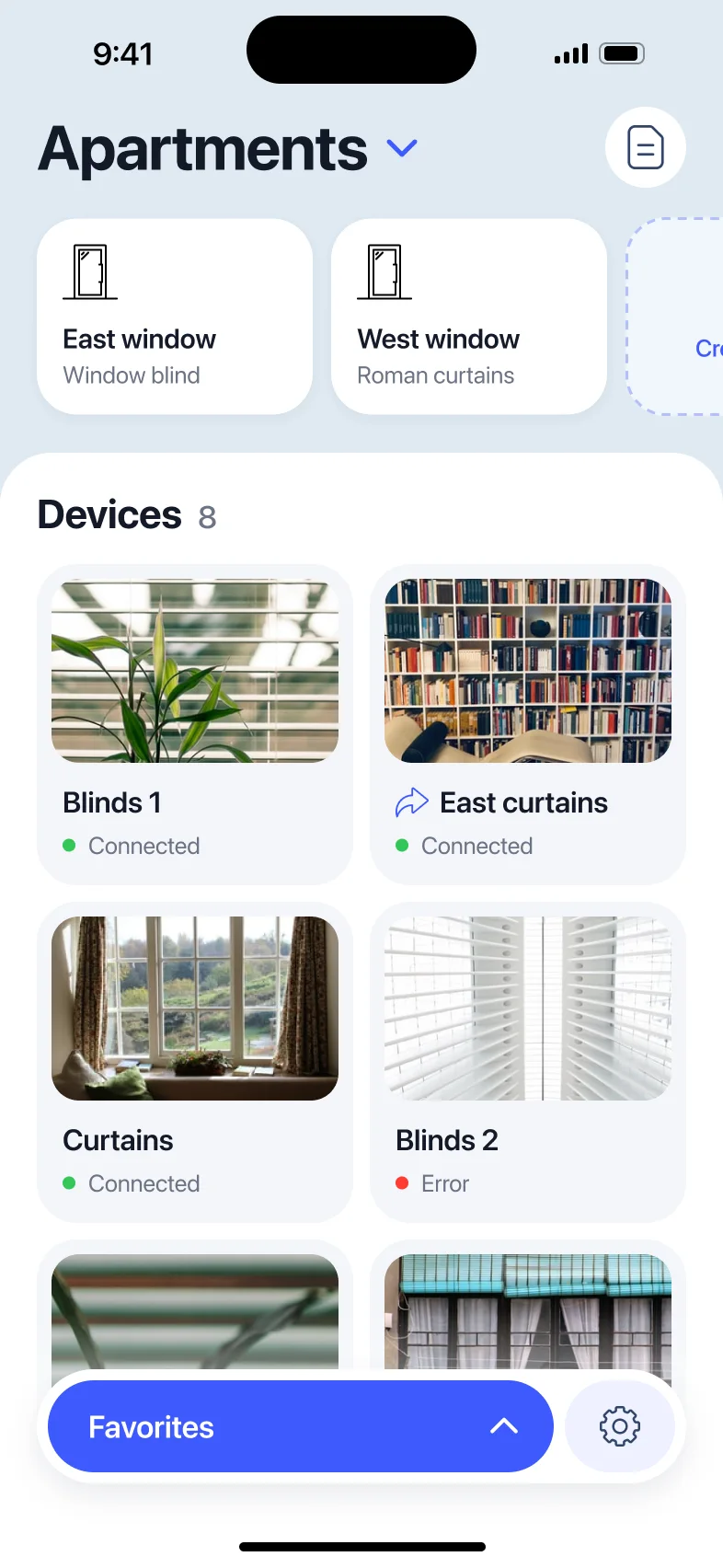
Home: Apartments, the East and West window groups, and a grid of devices with photos — Blinds 1, East curtains (shared), Curtains, Blinds 2 with an error — and a Favorites bar.
Automation for Blinds 1: the light-sensor switch is turned on, the list scrolls down to Alarm, Close to 90% is picked and then Close fully again, the list scrolls back and the switch goes off.
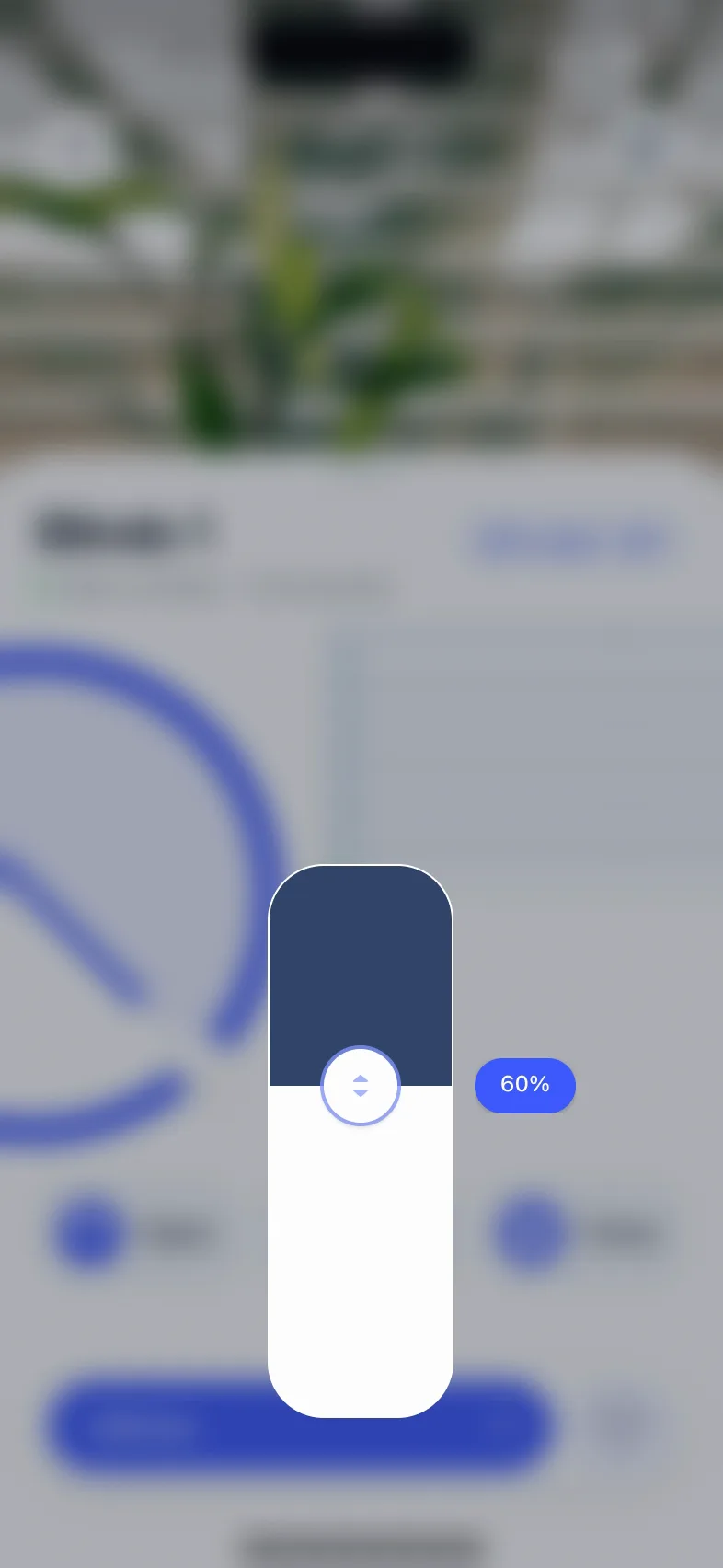
The screen blurs and a tall slider rises; a finger drags its handle from 30% up to 60%, then the slider fades away.
The device list, a device's automation and alarm, and the precise position on a slider over the screen.

Identity

Three slats for a mark

The logo is the product reduced to three slats, turned the way a blind turns, built on a grid of diagonals.
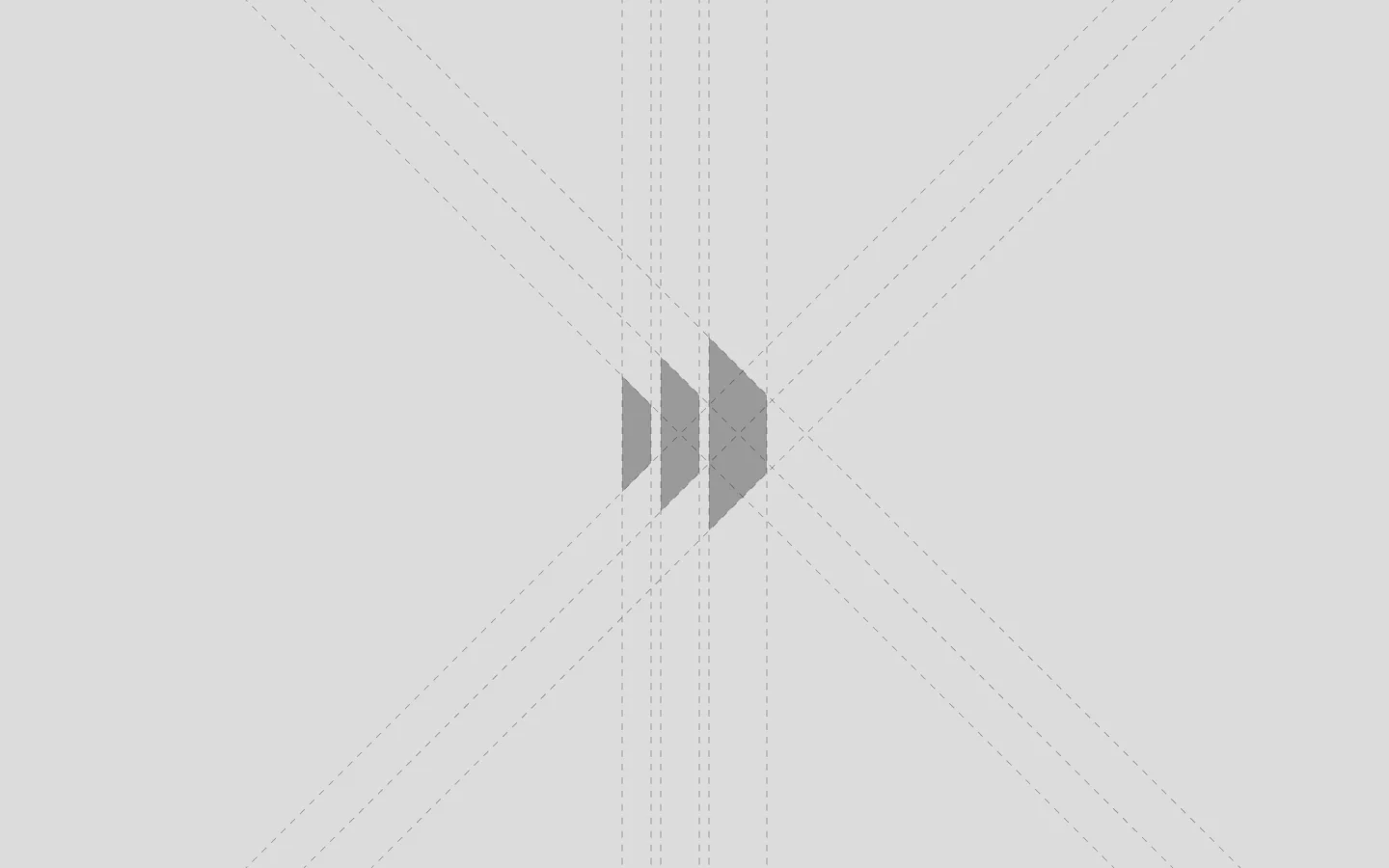
The Blinds App mark on a grey field: three slanted slats of growing height, with the construction lines of diagonals and verticals.
The construction.
The Blinds App logo in white on blue: the three-slat mark and the words BLINDS APP.
The logo.

Result

Handed over

I handed the design over to the client's developers. What happened to the app after that, I don't know. For this page I redrew the frame around the drawings in 2026 — the type, the buttons, the sheet, and a Stop button — and left the drawings and the wheel as they were.

Next

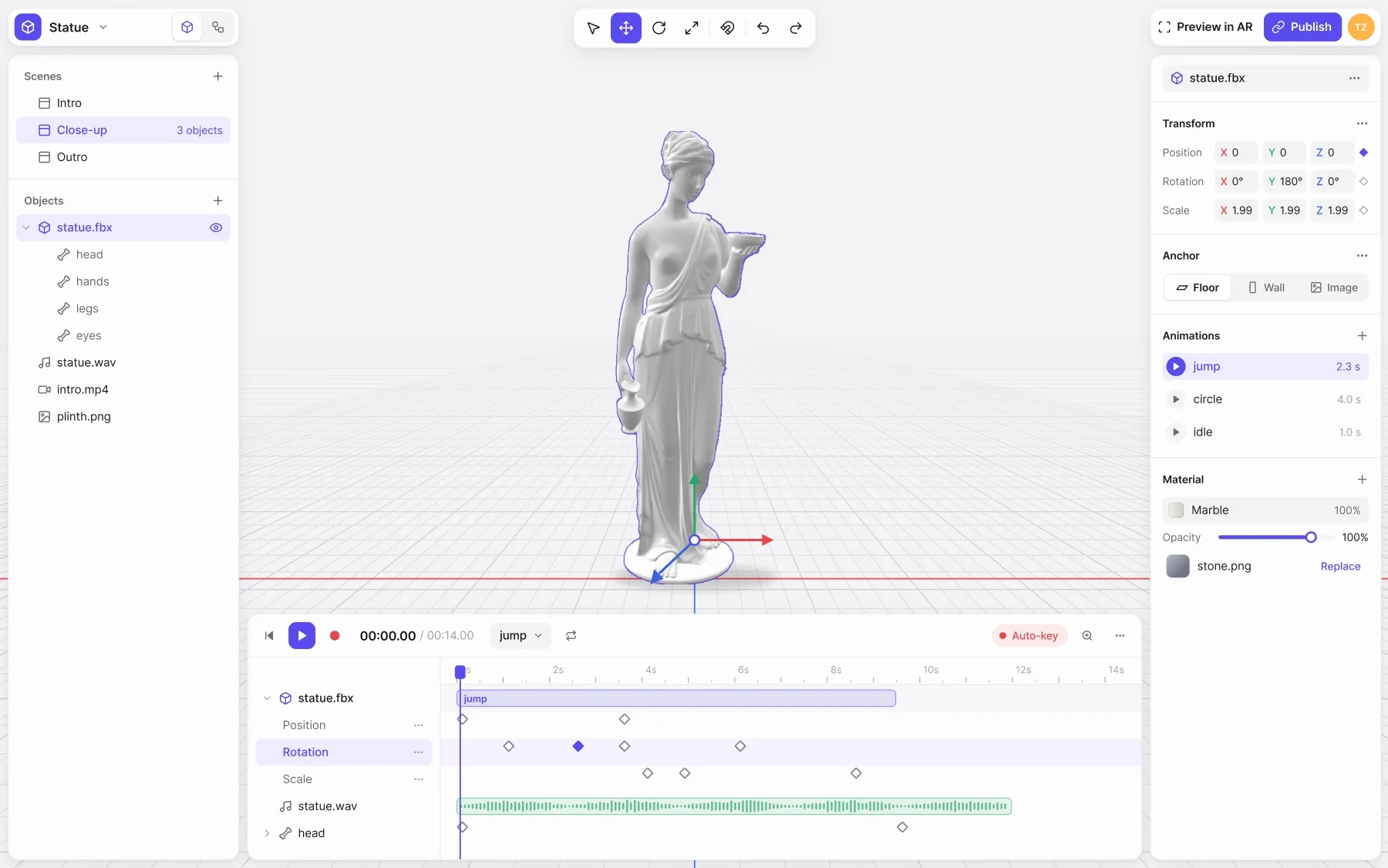
The ARQ editor with a project open: scenes and objects on the left, a statue on the floor grid in the middle, the inspector on the right, and a timeline of keyframes along the bottom.

Founder & CEO2019–2023

ARQ

a no-code editor for augmented reality, from a 3D model to a link anyone can open.