Founder & CEO2019–2023Web, iOS, WebARProduct design — the web editor, the iOS app, the site

ARQ

A no-code editor for augmented reality: import a model, animate it, wire scenes to taps and swipes, send a link. I drew every screen.
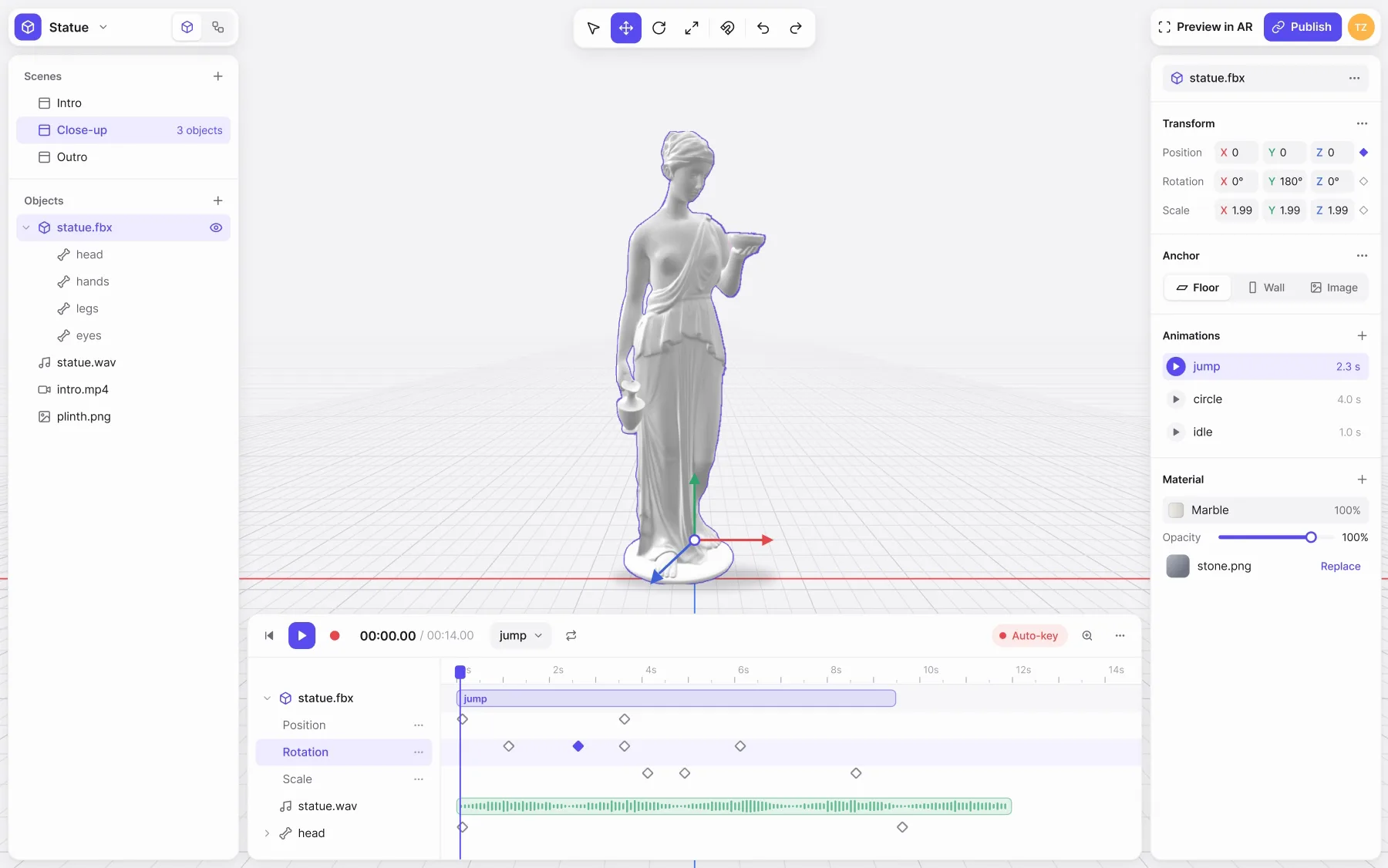
The ARQ editor playing a clip: the playhead runs along the timeline, the statue jumps twice on the floor grid, and each keyframe lights up as the playhead crosses it.
A project open, playing its clip. Scenes and objects on the left, the model in the middle, its properties on the right, the keyframes underneath. Redrawn in 2026 from the original mock-ups.

The problem

3D for people who don't do 3D

I had to fit what Unity does in code — animation, scene logic, touch, anchoring to the world — into an interface a beginner could use without reading anything. The users were sales, presentation and training teams.

We built our client work on the same editor: AR presentations of drugs and AR surgeon trainers for Bayer, Pfizer and Sanofi.

Scene logic
The scenario as a map

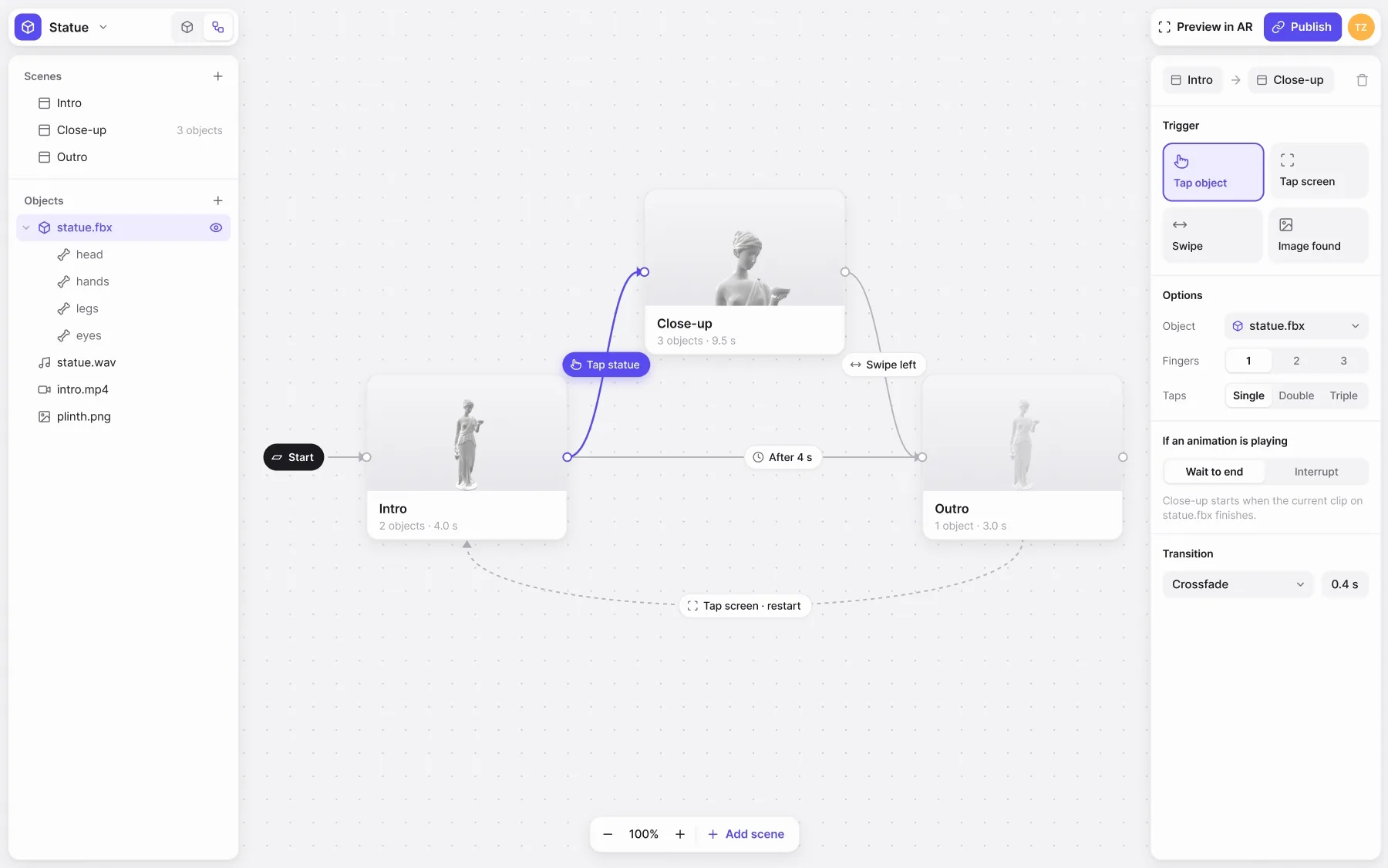
  • Scenes as a diagram Each scene is a card on a canvas; a wire is a transition, labelled with what fires it. A beginner sees the whole scenario at once. Price: one more idea to learn, and a second view to switch to.
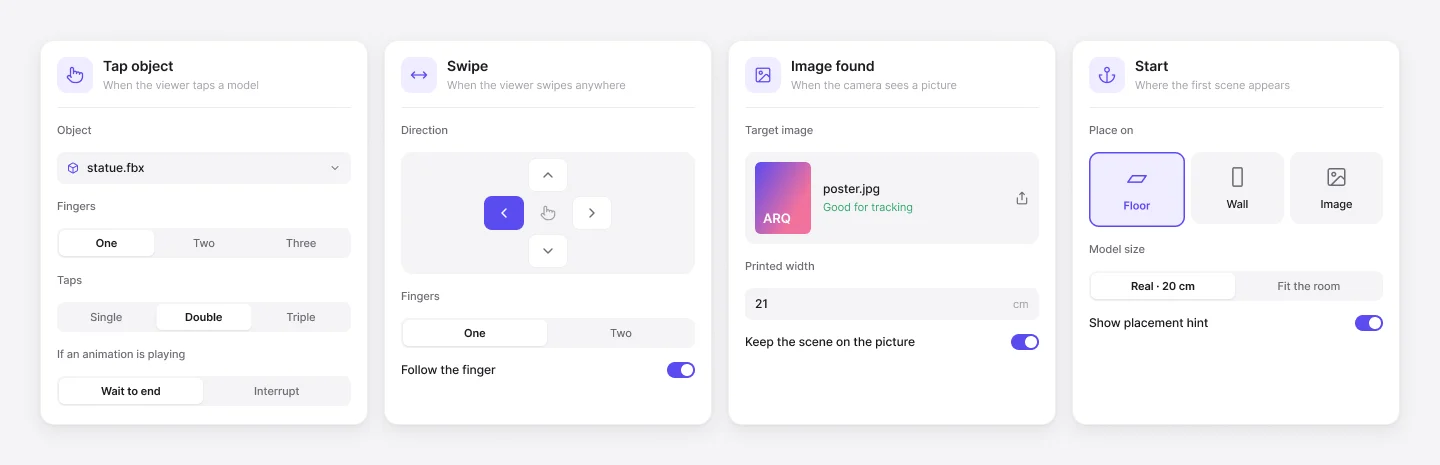
  • Triggers from a list Tap an object or the screen, swipe, find an image; one to three fingers; wait for the animation to end or interrupt it. Picking instead of scripting. Price: only what is on the list can be done.
The ARQ scene map running: a signal leaves Start, reaches Intro, crosses the Tap statue wire to Close-up, the Swipe left wire to Outro, and the dashed Tap screen wire back to Intro, lighting up each scene as it arrives. On the right, the inspector for the Intro to Close-up transition: Tap object, statue.fbx, one finger, single tap, wait to end.
The scenario running. A tap on the statue opens the close-up, a swipe moves on, a tap on the screen starts again — and the selected wire's trigger is edited on the right.
Four trigger cards: Tap object with object, fingers, taps and what to do if an animation is playing; Swipe with a direction pad; Image found with a target picture and its printed width; Start with Floor, Wall or Image.
Every trigger is a card of choices: which object, how many fingers, how many taps, whether to wait for the animation.

Animation

Animation in a tool people already know

A timeline as in After Effects: a track per object, a row per property, keyframes. Every field in the inspector has Add to Timeline in its menu, so anything can move — position, colour, size, volume.

Price: keyframes per property are still a threshold for a beginner.
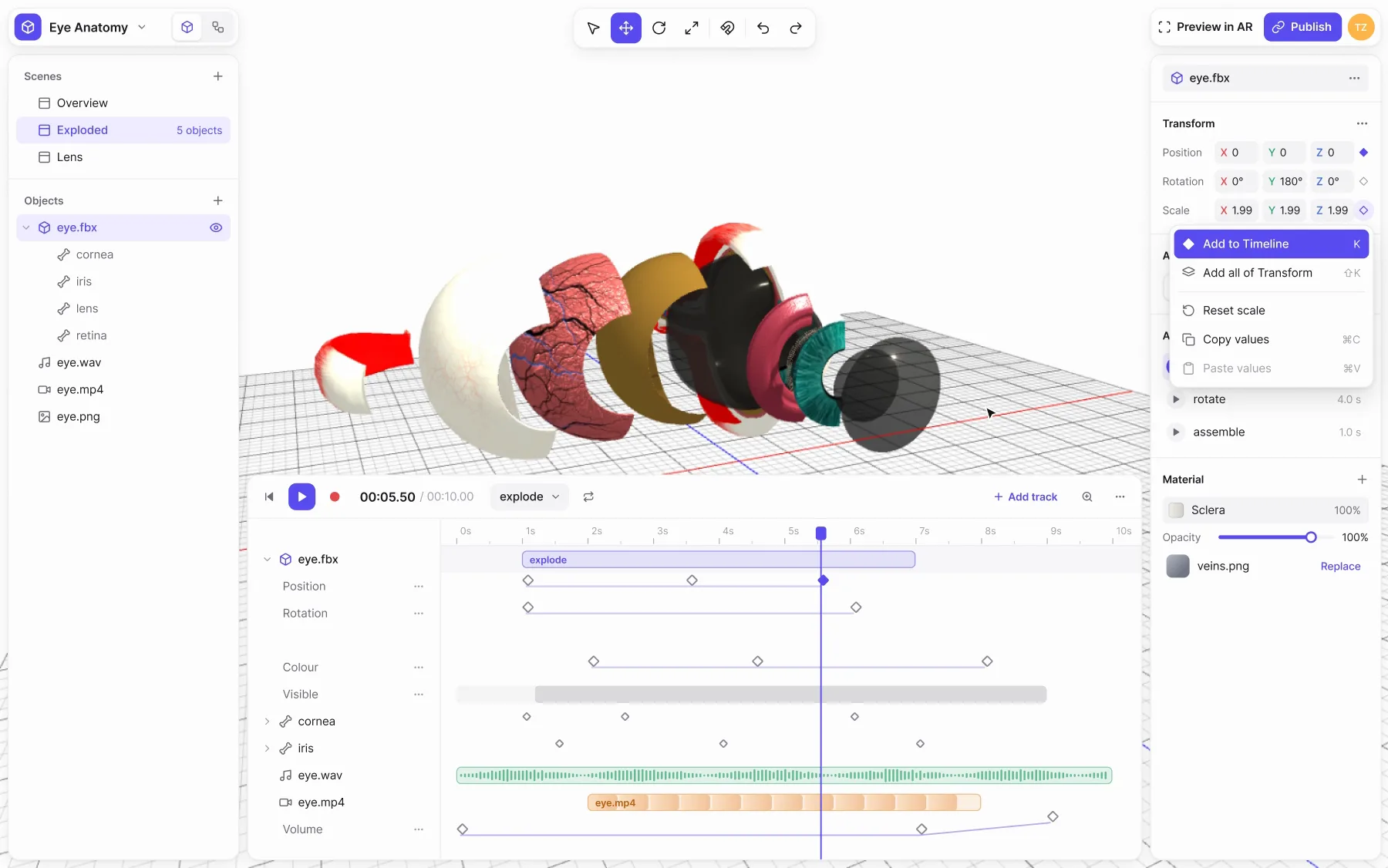
The ARQ timeline with an exploded eye model: the pointer picks Add to Timeline from the Scale field's menu, a new Scale track marked New appears with a key at the playhead, and the clip plays on.
Add to Timeline, from the field itself. The property gets its own track and a key at the playhead; nothing to set up first.

In the world

One tap to place, one link to share

  • One of three anchors Floor, wall, or a picture. No need to understand tracking. Price: no faces, no real objects.
  • WebAR by link Whoever gets the link opens it in the mobile browser and installs nothing; the same project opens in ARQ Viewer under one account. Price: the browser limits how heavy a scene can be.
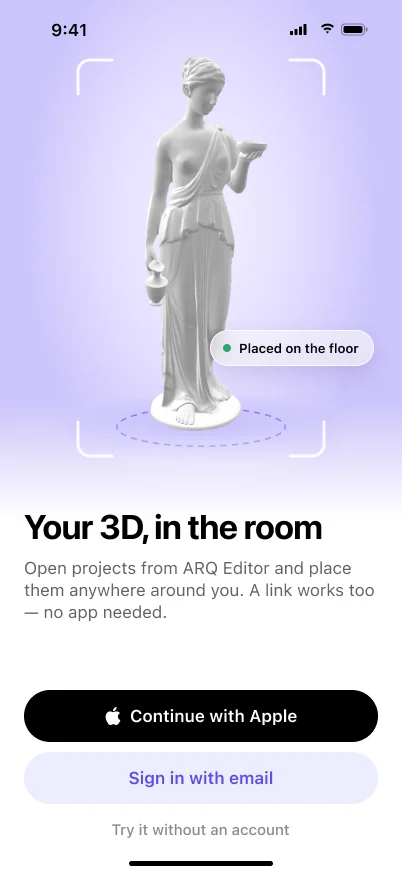
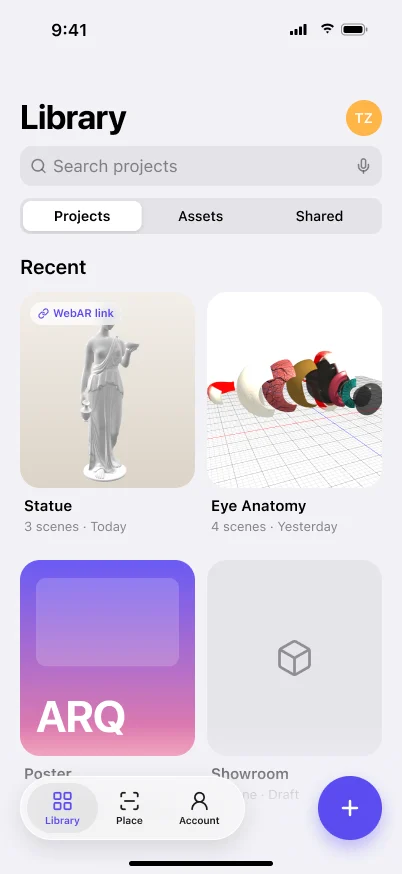
ARQ Viewer's welcome: the statue in a scan frame, placed on the floor, Continue with Apple, Sign in with email, and Try it without an account.ARQ Viewer's library: Statue with a WebAR link, Eye Anatomy, Poster and Showroom, a floating tab bar and an add button.
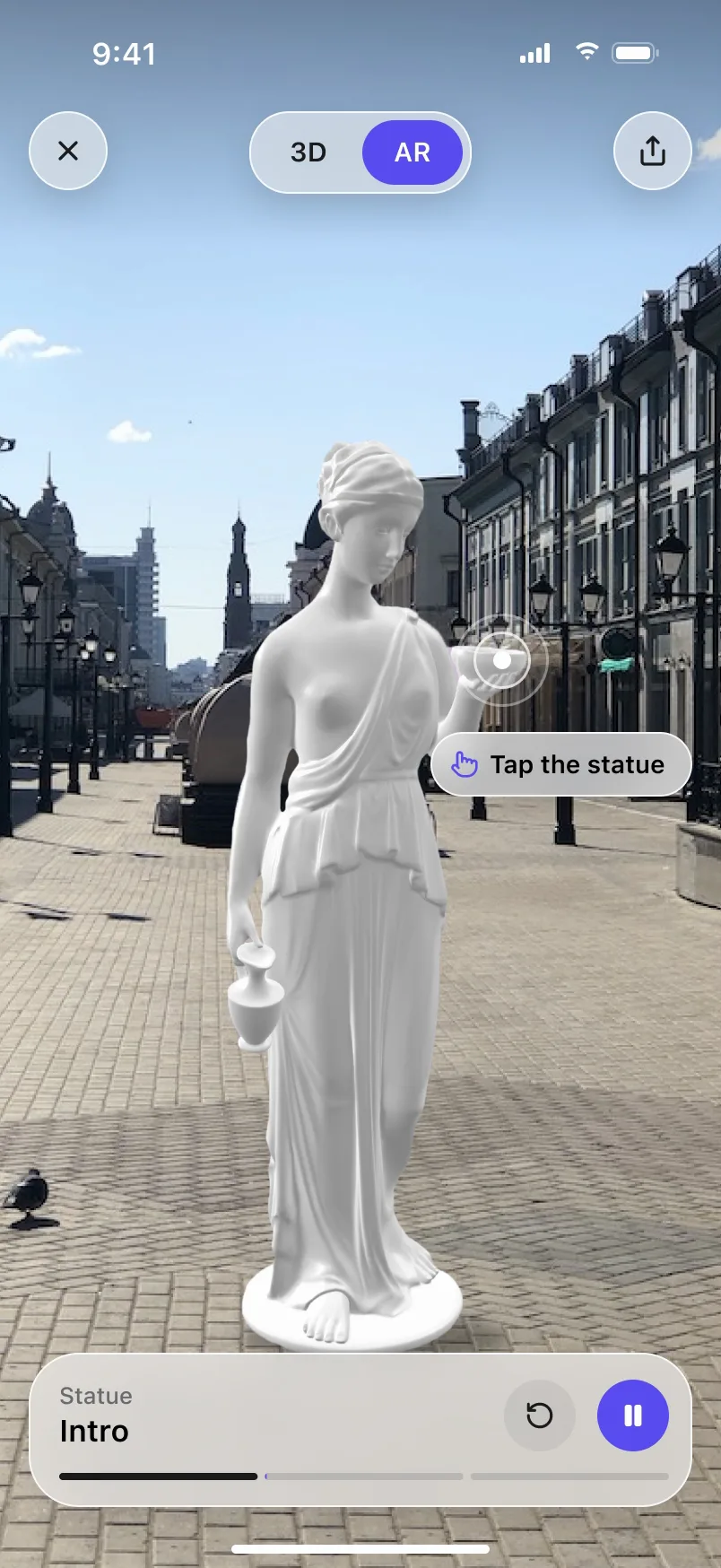
ARQ Viewer in AR: the statue in a real street, a pulse on its bowl and a Tap the statue hint; the tap switches the scene from Intro to Close-up and the statue jumps.
ARQ Viewer: the welcome screen, the library synced from the editor, and a project in the street — the tap on the statue is the trigger from the scene map.

Result

What came of it

311 projects made by users on the platform. ARQ Viewer reached #3 in Graphics & Design on the App Store.

Next

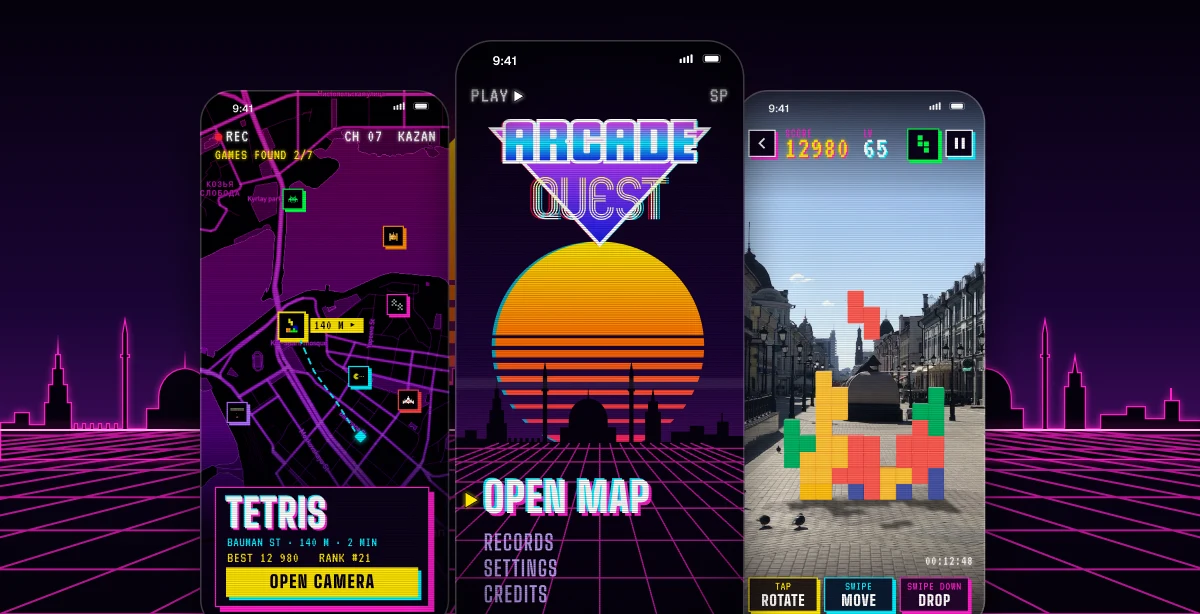
Three Arcade Quest screens over a neon grid and the Kazan skyline: the map with game pins and a Tetris card, the title screen with Open map under a striped sun, and a Tetris stack standing in AR on a street.

ARQProduct Designer2019

Arcade Quest

a city quest for arcade games. Tetris, Space Invaders and the rest stand at spots around Kazan, and you play them in AR on the pavement.